
Campaigns
Set up automated, theme-driven LinkedIn posting series with intelligent pillar rotation, recurring timeslots, and automated AI generation.
The Campaign Management engine transforms one-off content writing into structured, multi-week LinkedIn publishing arcs. Rather than drafting individual posts daily, campaigns let you establish a topic thesis, define content pillars, configure recurring weekly timeslots, and let LinkAssist automatically generate, schedule, and stage posts for approval.
1. Campaign Management Dashboard
When you navigate to the Campaigns section from the sidebar or user menu, you are presented with your campaign control center.
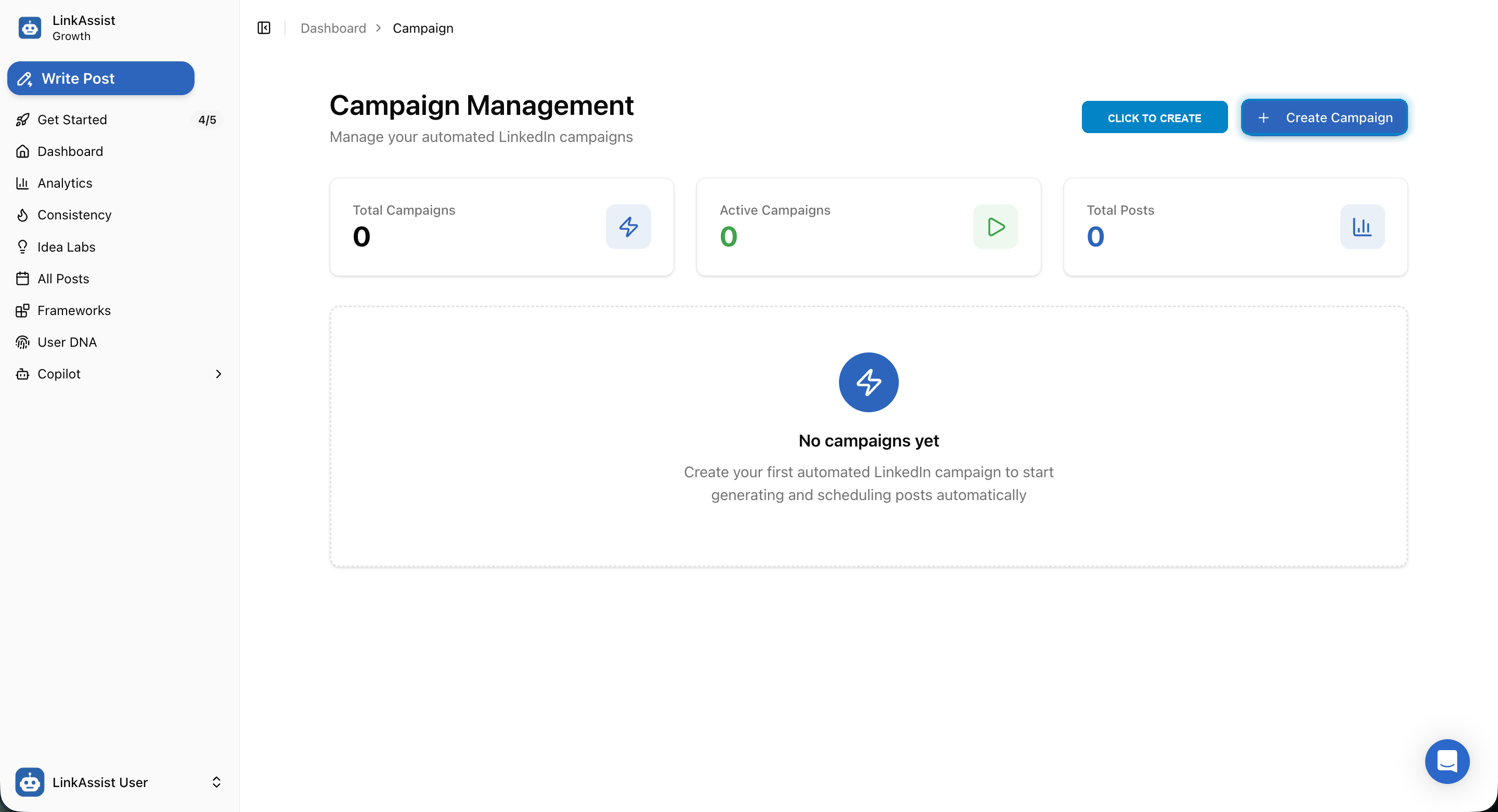
Top-Level Campaign KPIs
- Total Campaigns: Overall volume of campaigns configured in your workspace.
- Active Campaigns: Campaigns currently running and generating scheduled posts on autopilot.
- Total Posts: Aggregated count of posts created across all active and completed campaigns.
Click the highlighted + Create Campaign button in the upper right corner to initiate the 4-step campaign builder wizard.
2. Step 1: Defining the Campaign Brief
The Campaign Brief sets the strategic direction, target persona, and content pillars for the entire series.
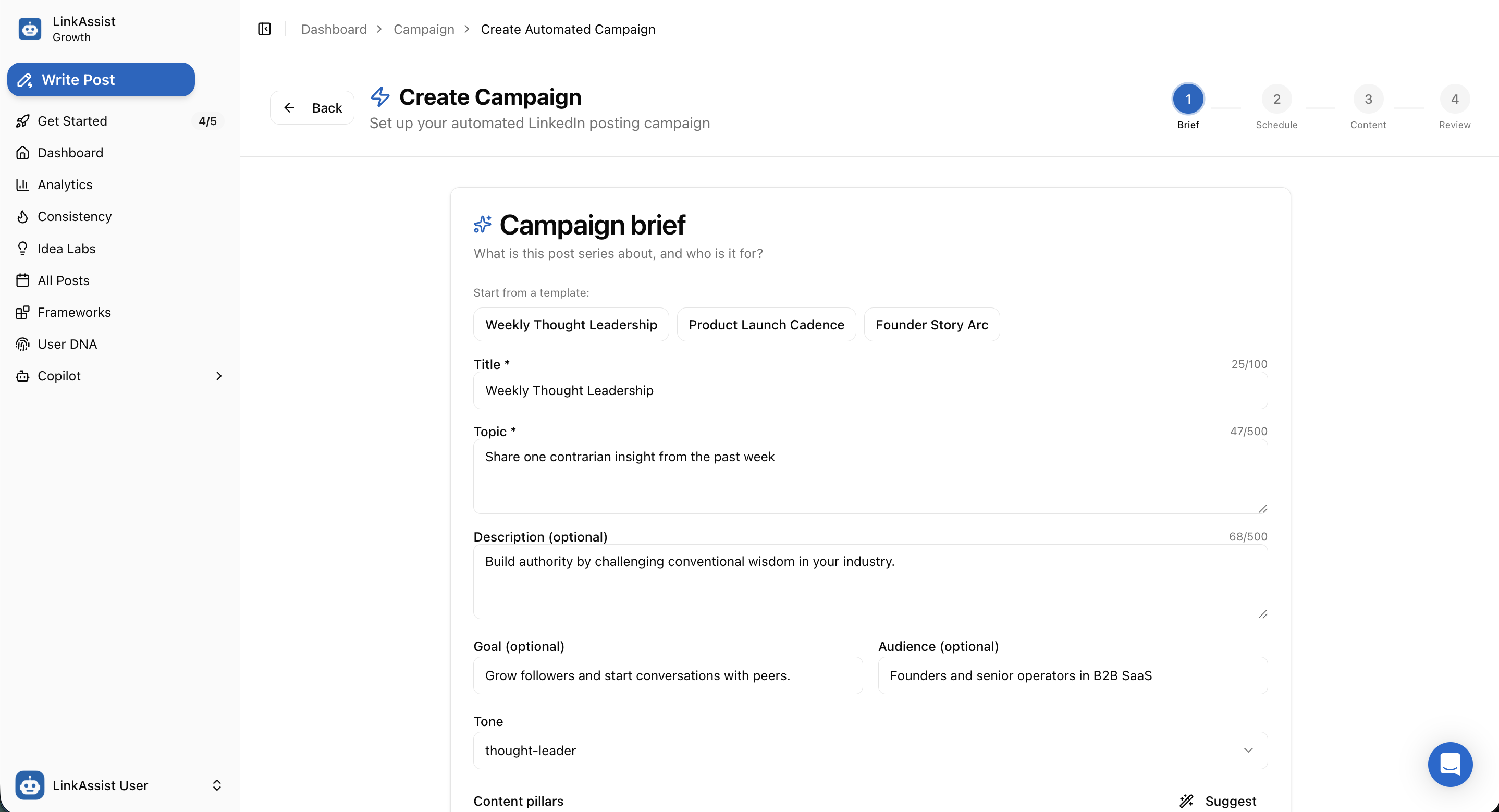
Quick-Start Campaign Templates
Jumpstart your strategy by selecting one of the pre-configured industry templates:
- Weekly Thought Leadership: Build category authority by challenging industry orthodoxies and sharing contrarian insights.
- Product Launch Cadence: Build systematic anticipation, feature deep-dives, and social proof leading up to a launch date.
- Founder Story Arc: Share behind-the-scenes founder milestones, lessons learned, and vulnerability-driven narratives.
Core Brief Parameters
| Parameter | Type | Purpose | Example |
|---|---|---|---|
| Title * | Required | Internal identifier for the campaign | Weekly Thought Leadership |
| Topic * | Required | Central theme or thesis of the series | Share one contrarian insight from the past week |
| Description | Optional | Contextual nuances & strategic objective | Build authority by challenging conventional wisdom in your industry |
| Goal | Optional | Key performance outcome | Grow followers and start conversations with peers |
| Audience | Optional | Target buyer or peer persona | Founders and senior operators in B2B SaaS |
| Tone | Selector | Voice style for AI generation | thought-leader, excited, analytical |
| Content Pillars | AI Assistant | Sub-topics rotated across posts | Click Suggest for automatic pillar generation |
3. Step 2: Posting Schedule & Timeslots
Step 2 allows you to set the active date window and specify precise recurring posting slots across the week.
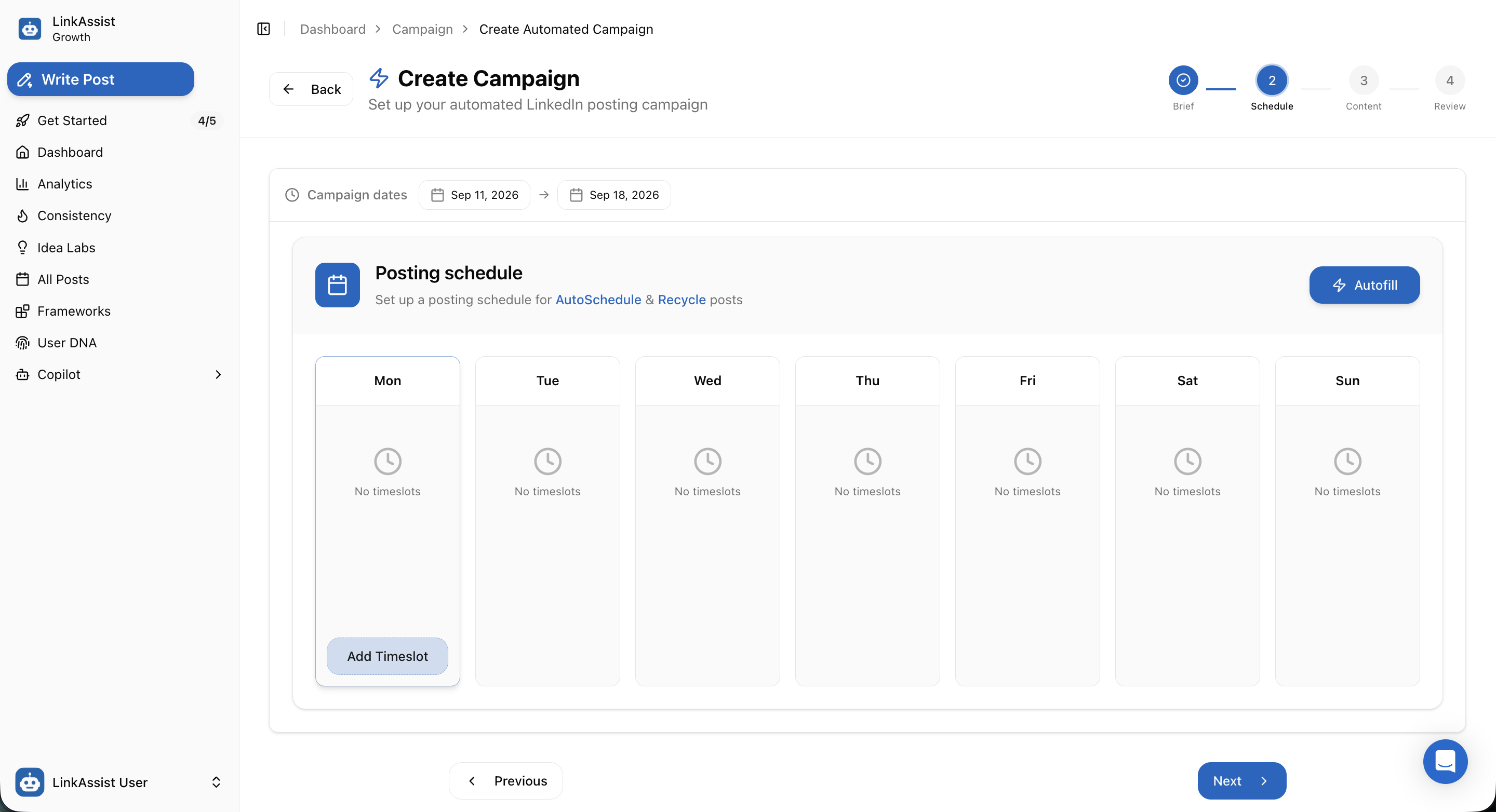
Scheduling Controls
- Campaign Dates: Specify the start and end dates (e.g.,
Sep 11, 2026 → Sep 18, 2026). - Autofill Timing: Click Autofill to let LinkAssist automatically assign optimal LinkedIn engagement times based on historical algorithm data.
- Manual Timeslots: Click Add Timeslot on any weekday column to open the precise time configurator.
4. Timeslot Configurator Modal
Clicking Add Timeslot opens the slot scheduling modal to configure recurring publication intervals.
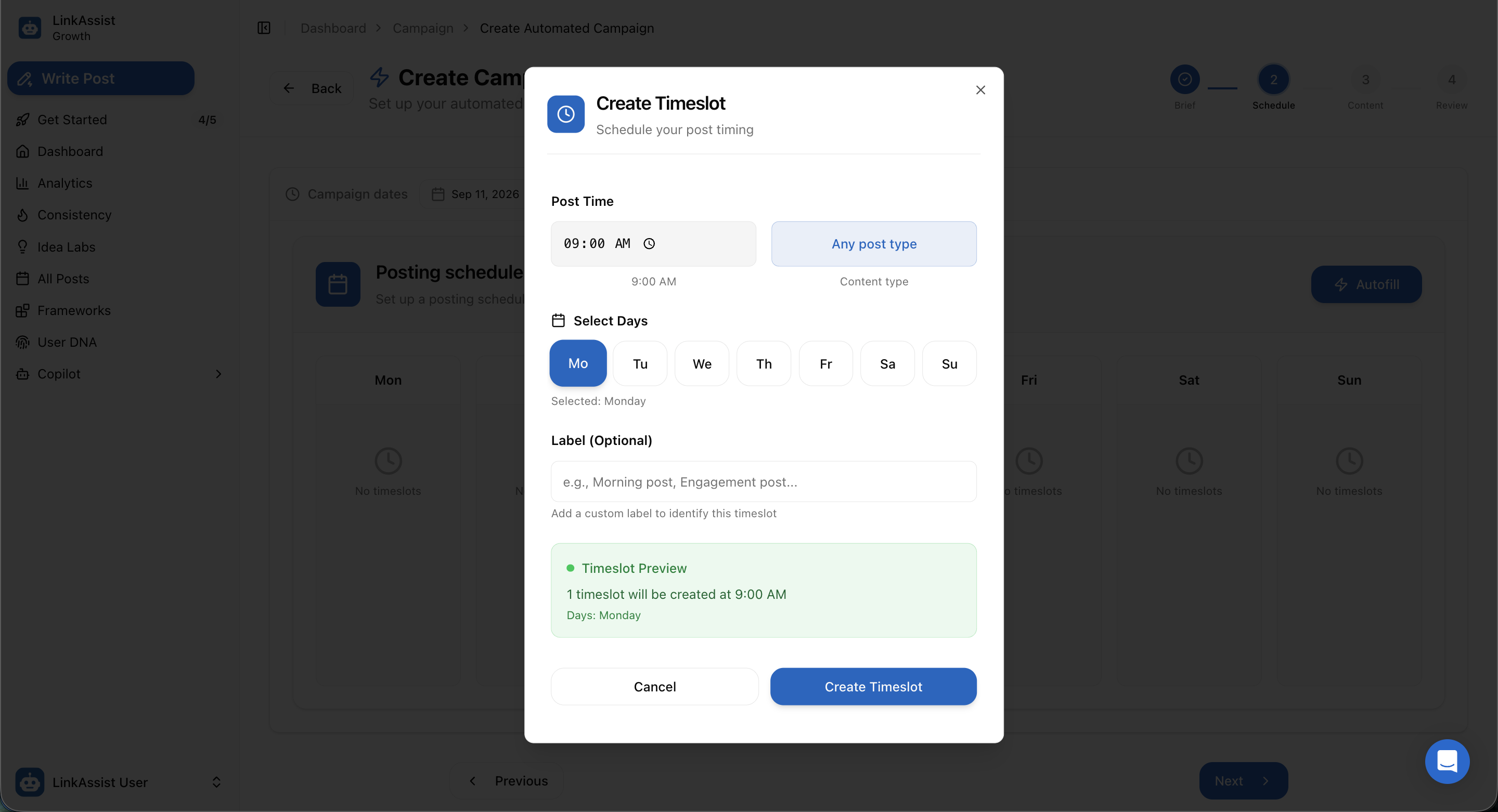
Timeslot Settings
Set Post Time
Specify the exact delivery time (e.g., 09:00 AM).
Choose Content Type
Select specific formats or leave as Any post type for flexible pillar rotation.
Select Target Days
Toggle active days (Mo, Tu, We, Th, Fr, Sa, Su) to apply this recurring schedule.
Add Optional Label
Assign a recognizable label like Morning Post or Weekly Anchor Post.
Confirm Timeslot
Verify the green Timeslot Preview summary and click Create Timeslot.
5. Step 3: Content Settings & Publication Rules
Step 3 determines publishing authorship, visual asset generation, and human-in-the-loop review safeguards.
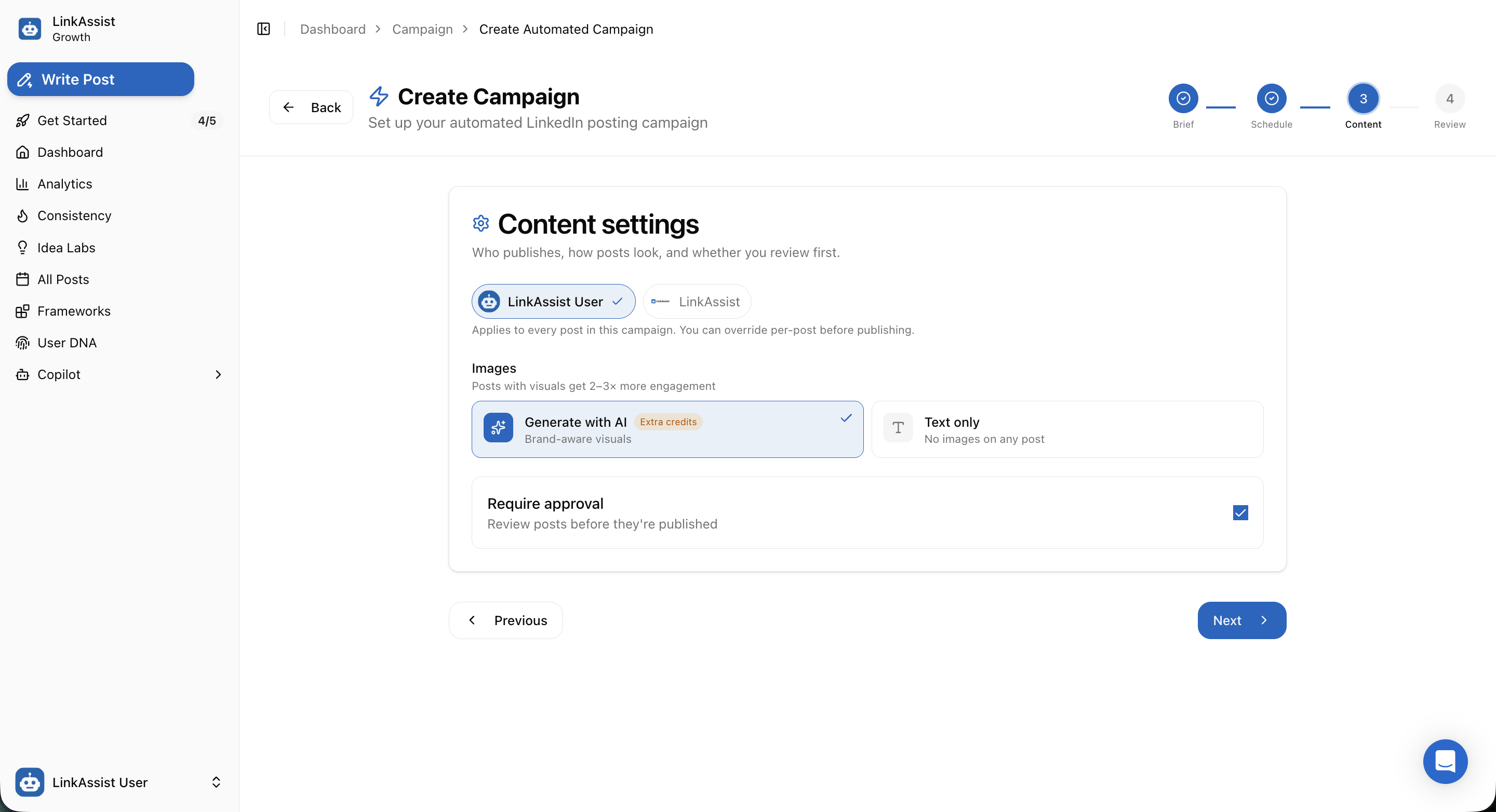
Author & Media Settings
Publishing Profile
Generate with AI Visuals
Text Only Mode
Require Approval Checkbox
Human-in-the-Loop Safeguard: Enabling Require approval ensures no post ever goes live automatically without your explicit manual review and approval.
6. Step 4: Campaign Health & 7-Day Plan Review
Before launching, LinkAssist validates your entire campaign setup with an algorithmic Campaign Health Score and displays your rotational content roadmap.
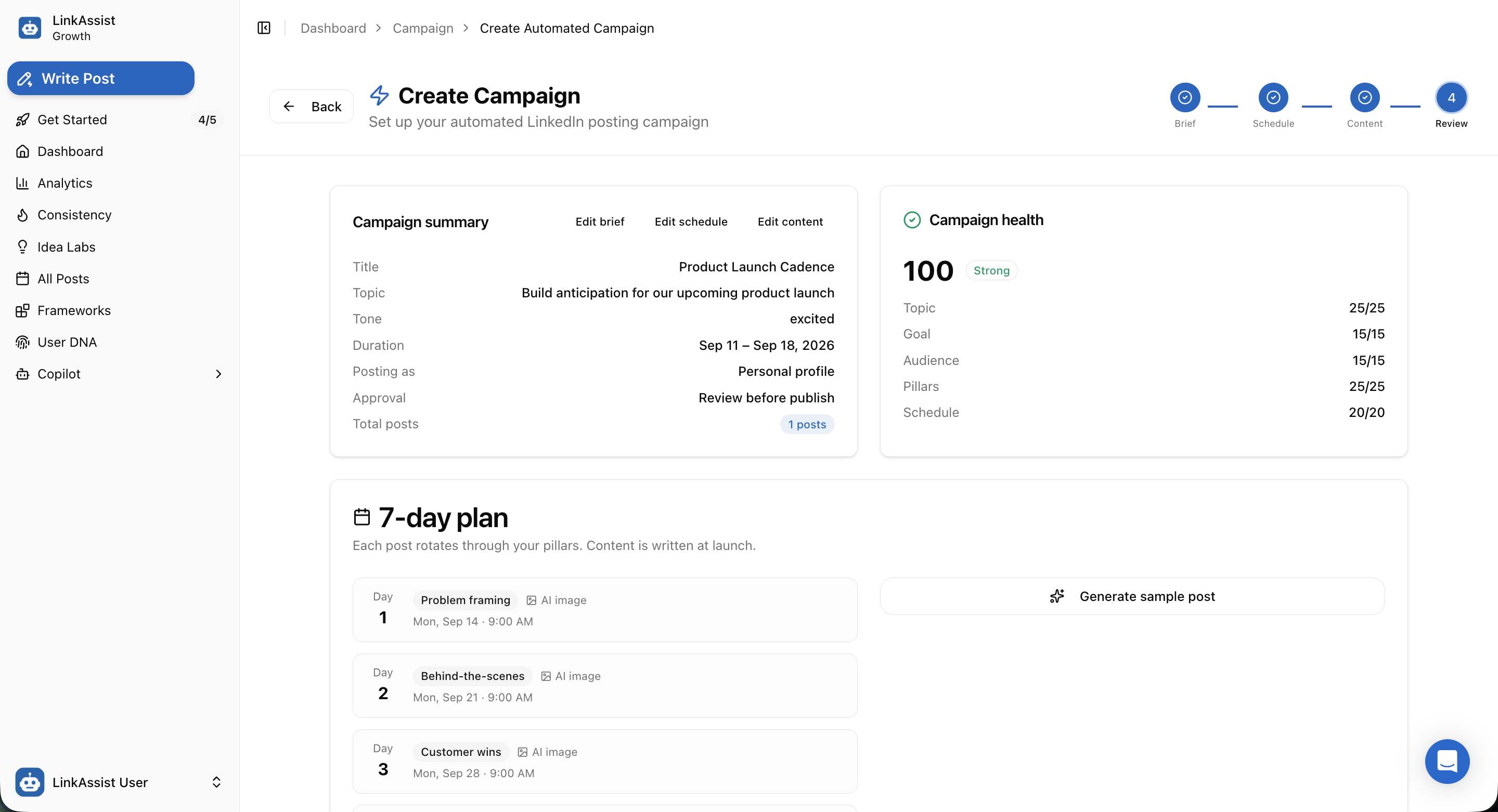
Campaign Health Audit (100 / Strong)
The health algorithm scores your campaign readiness across five critical pillars:
| Category | Maximum Score | Description |
|---|---|---|
| Topic Clarity | 25 / 25 | Validates thesis depth, hook clarity, and narrative focus |
| Goal Alignment | 15 / 15 | Measures compatibility between stated objectives and format |
| Audience Targeting | 15 / 15 | Ensures tone and language match the selected persona |
| Pillar Diversity | 25 / 25 | Validates balanced topic rotation to prevent audience fatigue |
| Schedule Feasibility | 20 / 20 | Confirms realistic spacing between scheduled timeslots |
7-Day Rotational Plan
Each scheduled timeslot automatically pulls from your content pillars in a structured sequence:
- Day 1: Problem framing + AI Image (e.g.,
Mon, Sep 14 · 9:00 AM) - Day 2: Behind-the-scenes + AI Image (e.g.,
Mon, Sep 21 · 9:00 AM) - Day 3: Customer wins + AI Image (e.g.,
Mon, Sep 28 · 9:00 AM) - Day 4: How it works feature breakdown
- Day 5: Launch day celebratory announcement
You can click Generate sample post to preview exactly how the AI will draft copy for any designated pillar before going live.
7. Launching Your Automated Campaign
Once your brief, schedule, and content rules are verified, click Launch campaign.
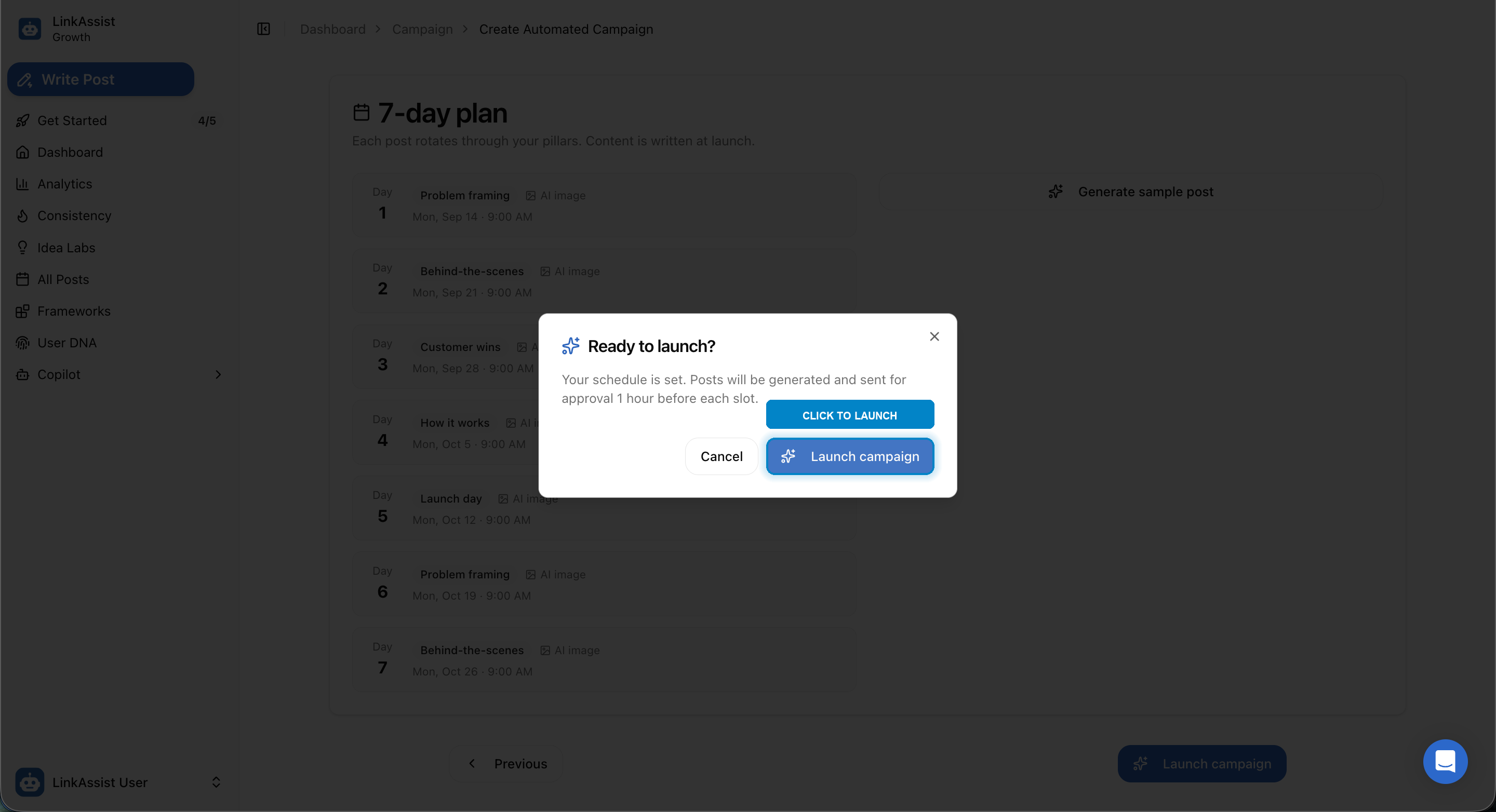
What Happens Upon Launch:
- Automatic Draft Generation: LinkAssist begins generating posts aligned with your User DNA and chosen pillars.
- Approval Staging: If Require Approval is active, drafts appear in All Posts and notification alerts are dispatched 1 hour prior to publication.
- Automated Publishing: Once approved, posts are published directly to LinkedIn via our high-reliability background scheduler.
- Performance Tracking: Campaign-level engagement and impression growth are tracked in Analytics.