
Frameworks
Discover 99+ proven LinkedIn post shapes, manage custom creator templates, and repurpose bookmarked swipe posts in one unified studio.
Frameworks is LinkAssist’s structured viral blueprint library. It eliminates blank-page syndrome by providing 99+ proven, high-converting LinkedIn post structures, personal custom templates, and an integrated swipe file system.
Inside Frameworks, you have 3 dedicated tabs to source inspiration and build content:
- LinkAssist Library — 99+ curated post shapes, hooks, and fill-in-the-blank blueprints.
- My Templates — Custom frameworks extracted from your best posts or favorite creators.
- Swipe Posts — Multi-platform saved inspiration from LinkedIn, X (Twitter), and web articles.
1. LinkAssist Library (Curated Post Shapes)
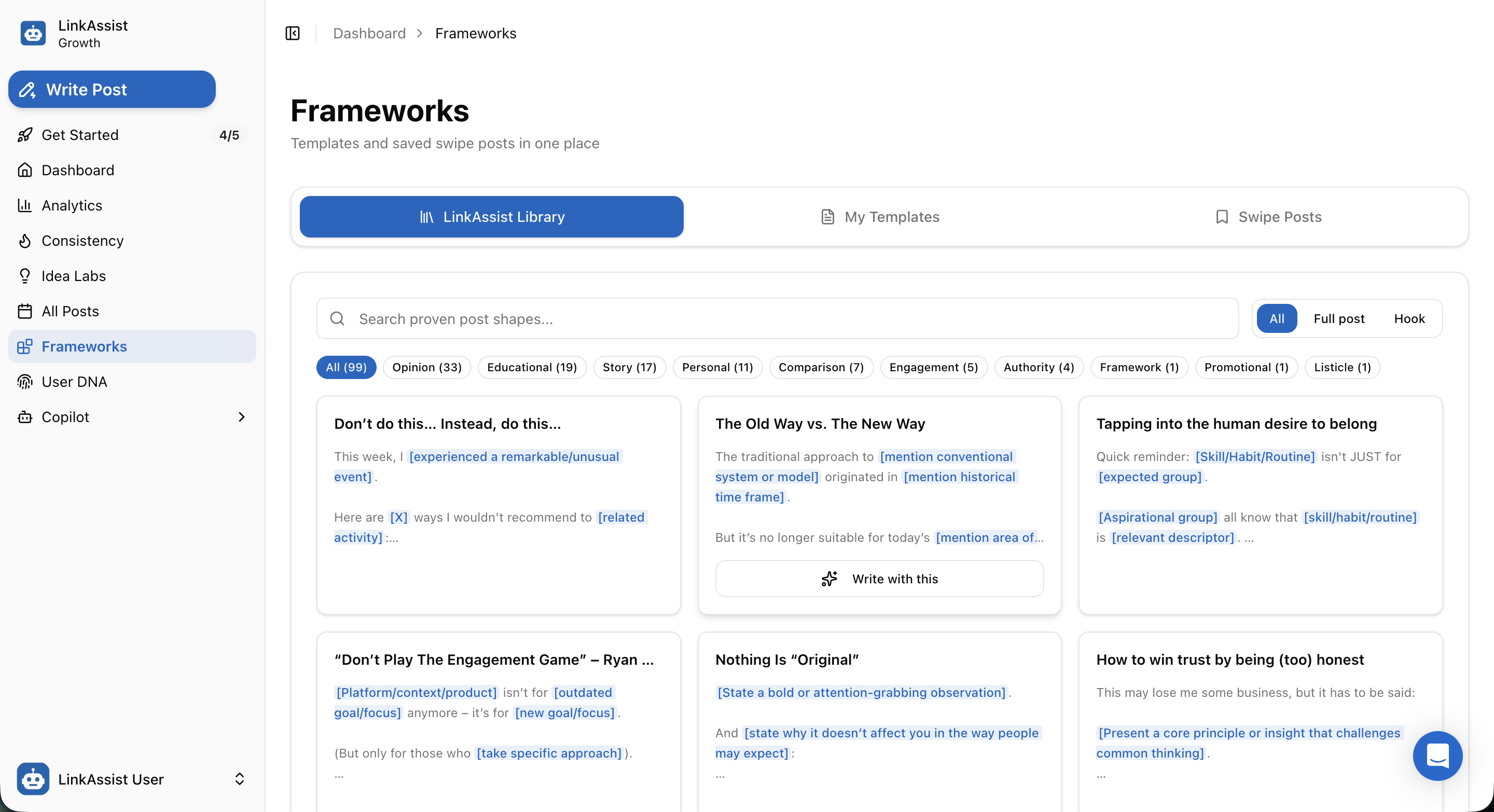
The LinkAssist Library contains 99+ battle-tested viral structures broken down into fill-in-the-blank blueprints.
Filter & Discovery Tools
- Search Bar: Search proven post shapes by keyword, topic, or concept.
- Format Toggle: Filter by All, Full post, or Hook only.
- Category Filter Pills:
- All (99) — Complete repository of all frameworks.
- Opinion (33) — Contrarian takes, industry perspectives, and thought-leadership stances.
- Educational (19) — Step-by-step how-to breakdowns, tutorials, and masterclasses.
- Story (17) — Personal vulnerability, business journey, and transformation stories.
- Personal (11) — Career lessons, founder reflections, and milestones.
- Comparison (7) — "The Old Way vs. The New Way", Tool A vs. Tool B, and paradigm shifts.
- Engagement (5) — Discussion starters, open questions, and community debates.
- Authority (4) — Credibility builders, proof of work, and case studies.
- Framework (1), Promotional (1), Listicle (1).
Interactive Fill-in-the-Blank Blueprints
Each framework card displays modular placeholders in brackets:
[experienced a remarkable/unusual event][mention conventional system or model][mention historical time frame][state a bold or attention-grabbing observation]
Click ✨ Write with this on any card to immediately open Post Writer pre-loaded with the framework's hook and structure.
2. My Templates (Custom & Extracted Formulas)
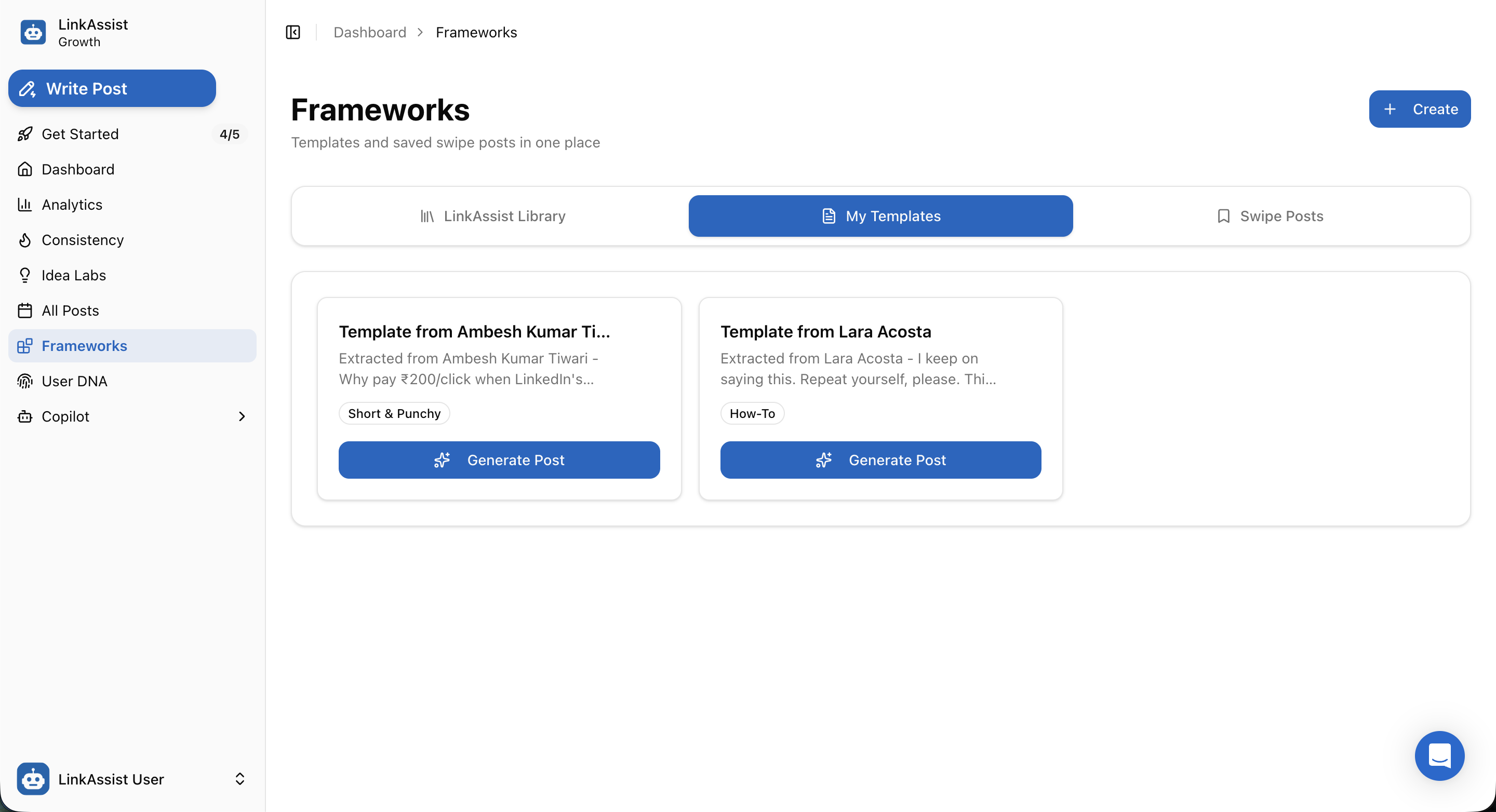
The My Templates tab allows you to store your own winning post formulas or templates extracted from top creators.
Features & Capabilities
+ CreateButton: Build custom frameworks from scratch, define variable placeholders, and tag them for your team.- Creator Extraction: Save analyzed post structures from leading creators (e.g., Lara Acosta, Ambesh Kumar Tiwari).
- Style Tagging: Categorize templates with badges like
Short & Punchy,How-To,Storytelling, orLead Magnet. ✨ Generate PostCTA: One-click action to feed your personal context into your custom template using AI.
3. Swipe Posts (Saved Inspiration & Web Captures)
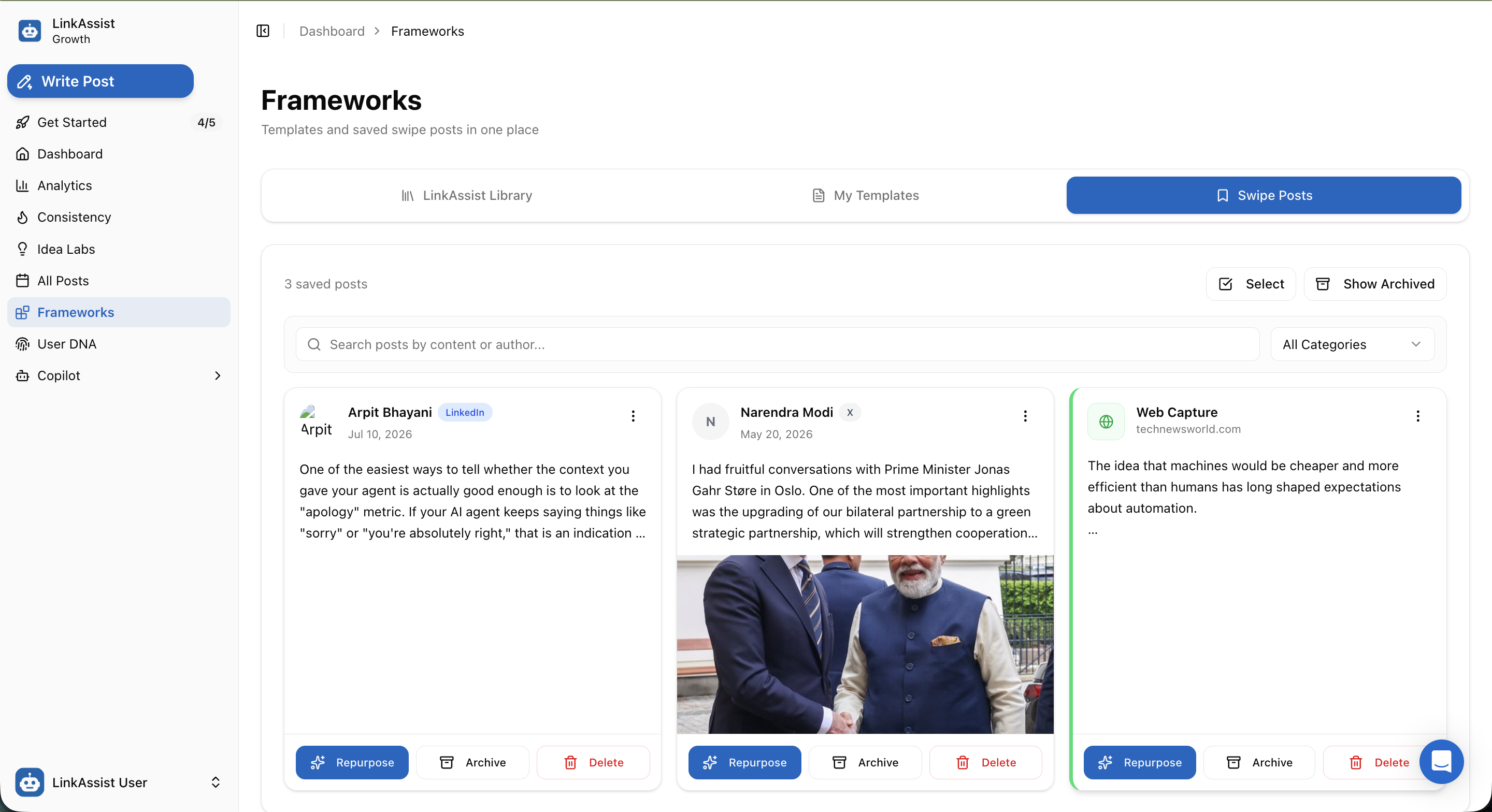
The Swipe Posts tab is your personal repository of high-performing content saved while browsing LinkedIn, X (Twitter), or the web.
Multi-Platform Ingestion Sources
| Source Badge | Origin | Features Captured |
|---|---|---|
| LinkedIn Feed | Author name, publish date, full copy, formatting, and line breaks. | |
| X (Twitter) | X / Twitter Feed | Tweet thread copy, handle, media/image attachments. |
| Web Capture | Online Articles & Blogs | Headline, domain source (e.g., technewsworld.com), excerpt, and URL. |
Swipe Post Actions
- ✨ Repurpose: Send the saved post into Post Writer to extract its underlying skeleton or rewrite the concept using your User Voice DNA.
- 🗄️ Archive: Clean up your active feed while keeping reference material accessible via the Show Archived toggle.
- 🗑️ Delete: Permanently remove items from your swipe collection.
- Bulk Selection: Use the Select tool to archive or delete multiple swipe cards at once.
Step-by-Step: How to Write a Post with a Framework
Browse or Search Frameworks
Open Frameworks and filter by category (e.g., Opinion, Story, Educational) or format (Hook vs Full post).
Select a Proven Structure
Review the fill-in-the-blank blueprint card and click ✨ Write with this or ✨ Generate Post.
Provide Your Context
In the Post Writer sidebar, type your personal experience, client result, or voice note.
AI Generation & Refinement
LinkAssist adapts your context into the framework’s high-converting cadence while preserving your unique tone.
Publish or Schedule
Review with the live mobile preview and schedule via All Posts Calendar.
Next Steps
Campaigns
Set up automated, theme-driven LinkedIn posting series with intelligent pillar rotation, recurring timeslots, and automated AI generation.
User DNA
Teach LinkAssist AI your personal story, voice cadence, contrarian takes, credibility proof, and strict boundaries to generate authentic LinkedIn posts.