
Post Writer
Craft high-converting LinkedIn posts from scratch, voice notes, YouTube videos, blogs, PDFs, or raw text with real-time mobile and desktop previews.
Post Writer is LinkAssist’s core creation engine designed to turn raw thoughts, voice notes, videos, research articles, or rough drafts into polished, high-engagement LinkedIn posts aligned with your personal brand voice.
1. Choosing Your Starting Pathway
Whenever you initiate the writing workflow, LinkAssist provides two distinct creative pathways depending on your current inspiration state:
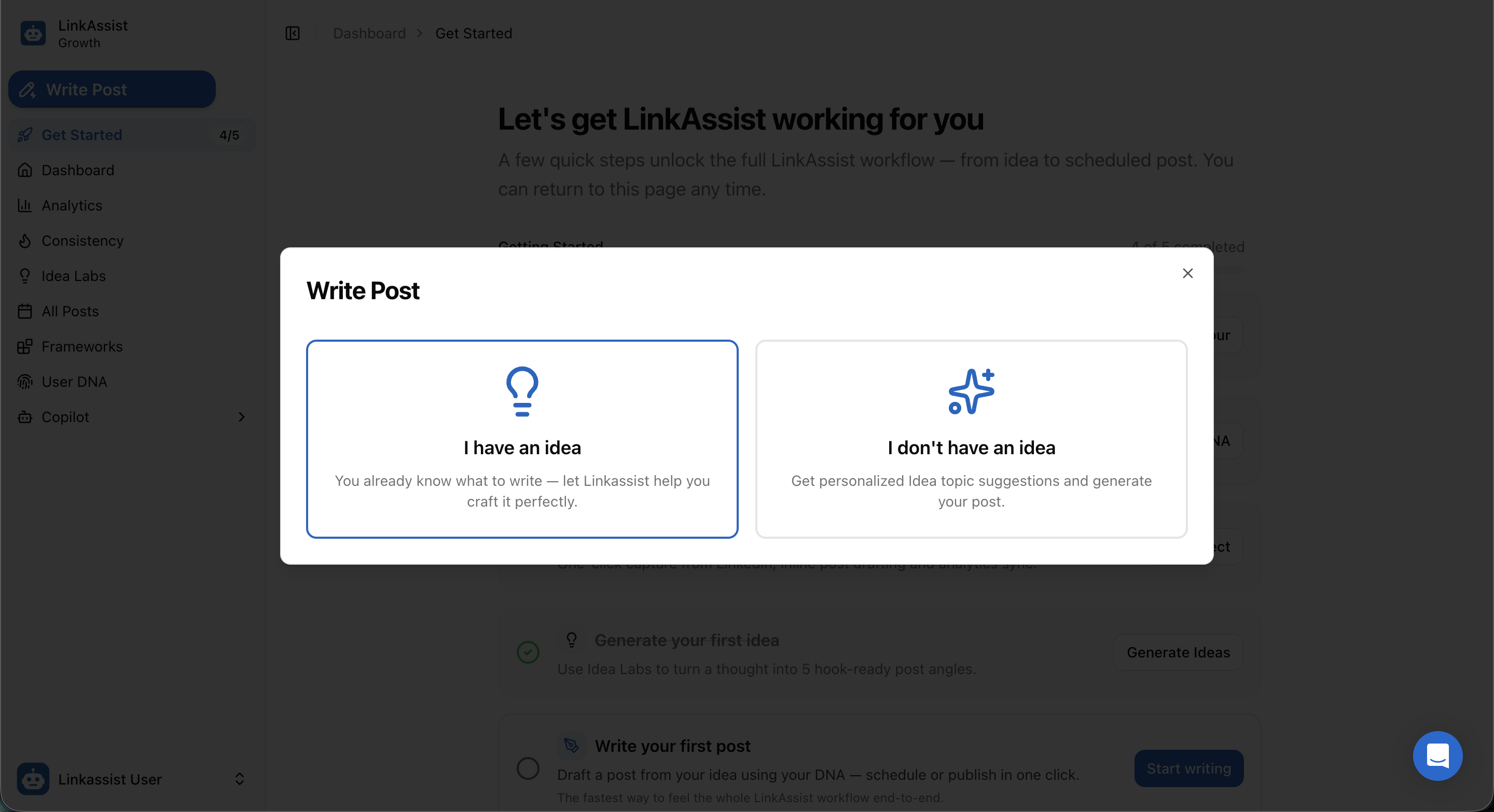
💡 I have an idea
Select this when you already have a specific topic, opinion, story, or reference link in mind. Opens the full Post Writer Studio where you can type context, record voice notes, or import external sources.
✨ I don't have an idea
Select this if you are experiencing writer's block. LinkAssist redirects you to Idea Labs to select personalized viral topics and industry trends tailored to your niche.
2. Post Writer Studio Interface
The Post Writer Studio provides an end-to-end workspace featuring prompt engineering controls, multi-source ingestion, length management, and real-time LinkedIn feed simulation.
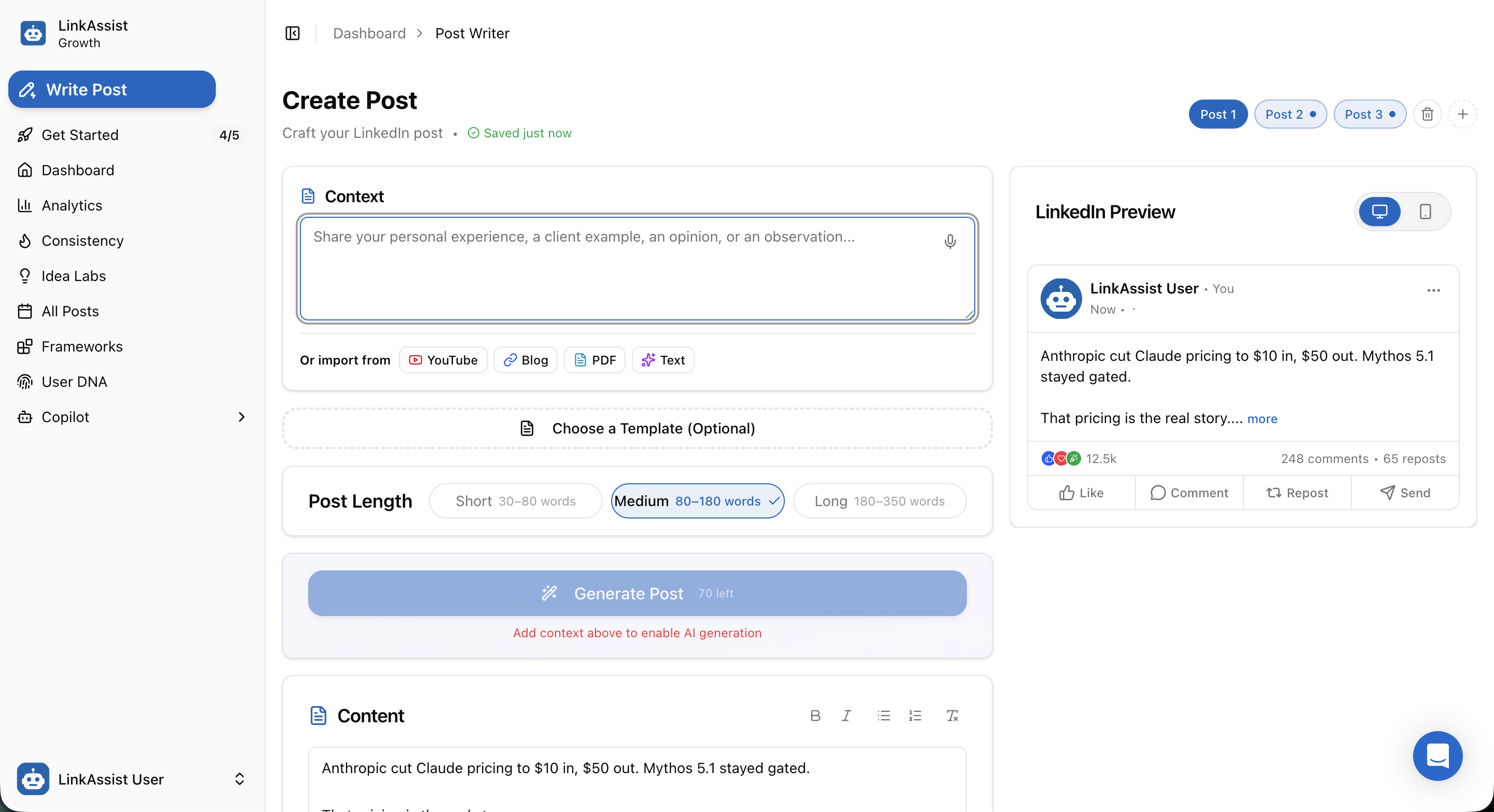
Studio Core Features
| Feature | Description |
|---|---|
Multi-Post Tabs (Post 1, Post 2, Post 3) | Work on multiple post variations simultaneously, test different hooks, or create multi-part series without losing your active context. |
| Context & Voice Input (🎙️) | Type personal anecdotes, client results, and frameworks, or click the microphone icon to dictate your thoughts naturally. |
| Multi-Source Ingestion | One-click importing from YouTube, Blog URLs, PDF files, and Raw Text. |
| Template Library (Optional) | Apply proven viral LinkedIn storytelling frameworks (e.g., Before/After, Contrarian Insight, Step-by-Step Breakdown). |
| Post Length Selector | Control output depth: Short (30–80 words), Medium (80–180 words), or Long (180–350 words). |
| Rich Text Editor & Character Counter | Format text (Bold, Italic, Bullet lists, Numbered lists) with live tracking against LinkedIn's 3,000-character limit. |
| Desktop & Mobile Feed Preview | Live simulation showing exact line breaks, "see more" cutoffs, and media rendering on both Desktop (💻) and Mobile (📱) devices. |
3. Multi-Source Content Repurposing
LinkAssist allows you to turn external media and documents into ready-to-publish LinkedIn posts in seconds.
A. Repurpose YouTube Videos
Paste any YouTube video link to extract spoken dialogue, key timestamps, and core lessons into a structured LinkedIn post.
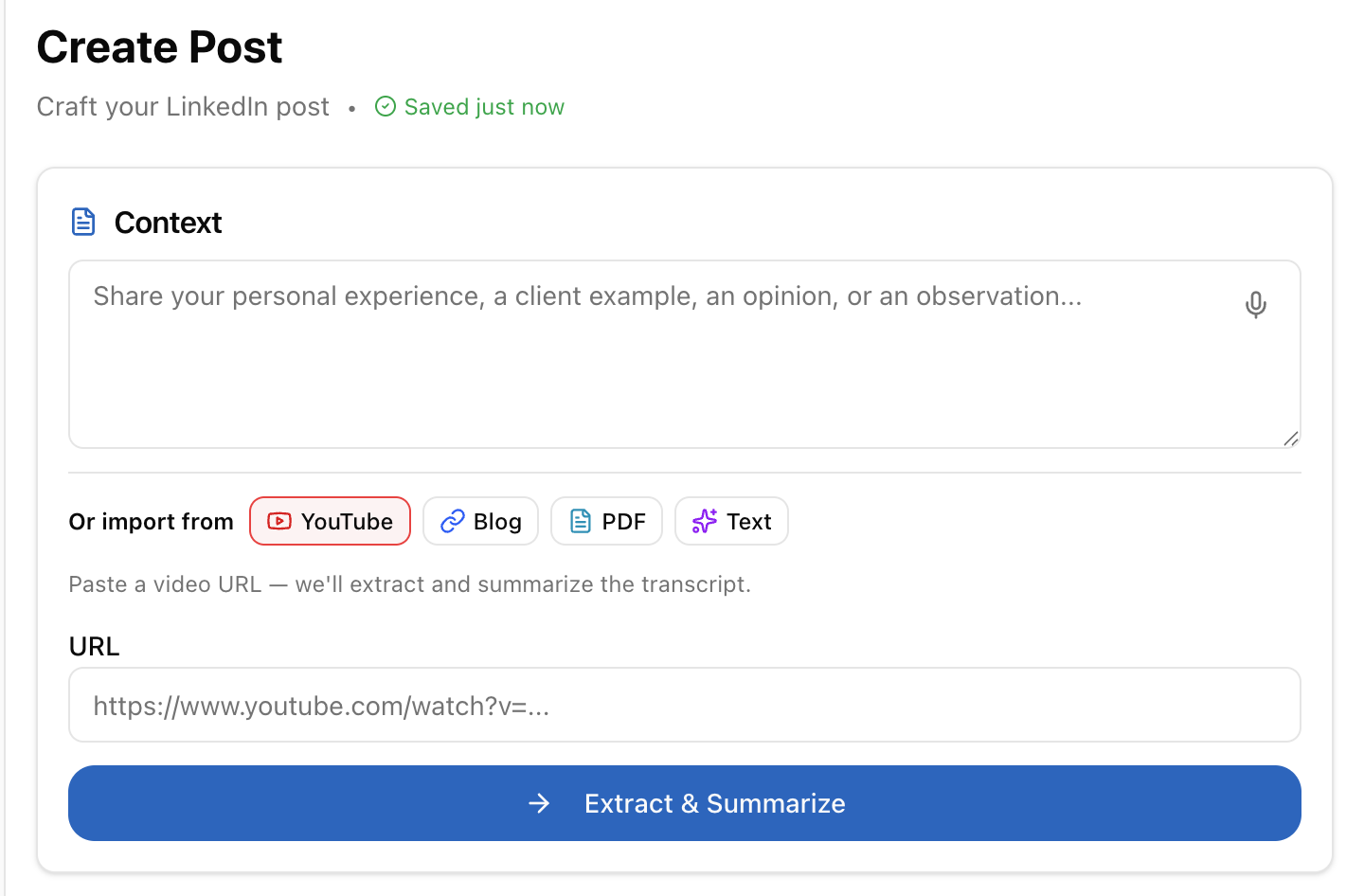
Select YouTube Import
Click the YouTube button above the context box in Post Writer Studio.
Paste Video Link
Enter the complete YouTube video URL (e.g., https://www.youtube.com/watch?v=...).
Extract & Summarize
Click → Extract & Summarize. LinkAssist transcribes the video, isolates high-value insights, and generates hook-driven post copy.
B. Repurpose Blog Articles & Webpages
Transform long-form articles, case studies, or documentation into punchy, high-retention LinkedIn takeaways.
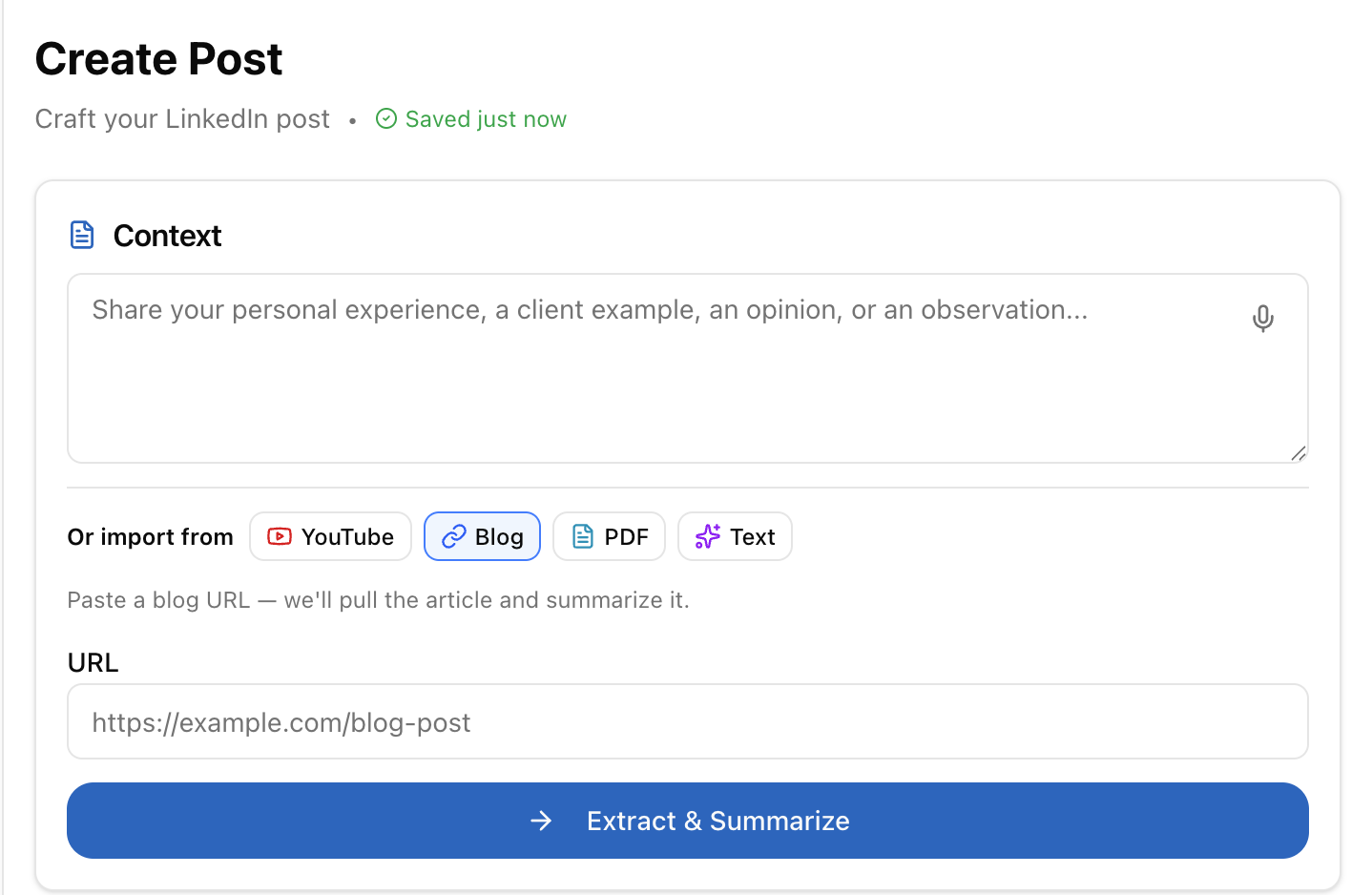
Select Blog Import
Click the Blog tab in the source selector.
Provide Article URL
Paste the web link (e.g., https://example.com/blog-post).
Extract & Summarize
Click → Extract & Summarize to parse the article body, remove web fluff, and structure key takeaways into LinkedIn formatting.
C. Repurpose Raw Text & Rough Notes
Paste meeting notes, voice transcripts, brain dumps, or rough drafts to convert them into polished posts.
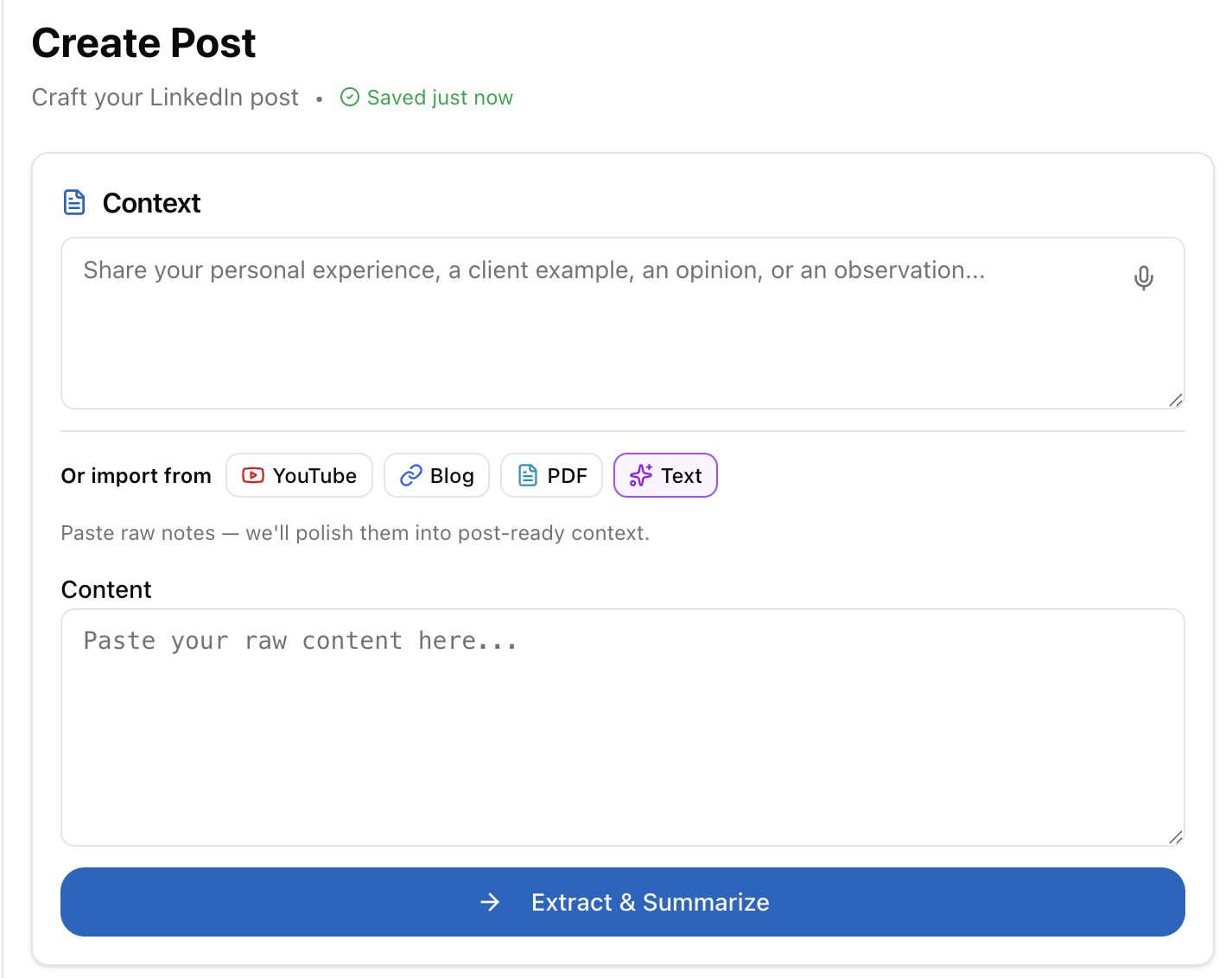
Select Text Import
Click the Text tab in the source selector.
Paste Content
Paste unorganized thoughts, bullet notes, or interview snippets into the text area.
Extract & Summarize
Click → Extract & Summarize to polish the tone, improve readability, and add impactful spacing.
D. Repurpose PDF Documents
Upload whitepapers, research reports, guides, or slide decks. LinkAssist extracts the core data points and converts them into thought-leadership posts with executive summaries.
4. Post Creation Step-by-Step Workflow
Input Context & Choose Length
Provide your core idea in the context box or import from YouTube/Blog/PDF/Text. Choose your target length (Short, Medium, or Long).
Generate Post Copy
Click Generate Post. LinkAssist crafts a draft matching your User Voice DNA, hook requirements, and selected length.
Refine with Rich Text Tools
Format key lines using bold or italic formatting, structure lists with bullet points, and check character counts against the 3,000-character limit.
Inspect Live Desktop & Mobile Previews
Toggle between Desktop and Mobile preview icons in the right panel to ensure your first 3 lines hook the reader before the "see more" cutoff.
Pro-Tip on Hook Optimization: Use the Mobile Preview mode (📱) to verify that your opening hook fits cleanly within the first two visible lines on mobile screens before the fold.
5. Next Steps
Explore how to organize, schedule, and automate your generated LinkedIn posts: