
Book a Demo
Schedule a 1-on-1 personalized live demonstration and strategic walkthrough with the LinkAssist product team.
Whether you are evaluating LinkAssist for executive leadership branding, scaling an agency content workflow, or upgrading to an Enterprise plan, our team provides 1-on-1 tailored walkthroughs.
You can schedule a session directly from the lower-left account menu $\rightarrow$ Book a Demo or via https://linkassist.ai/book-a-demo.
Interactive Scheduling Calendar
Select your preferred date, time slot, and local timezone using the integrated booking scheduler.
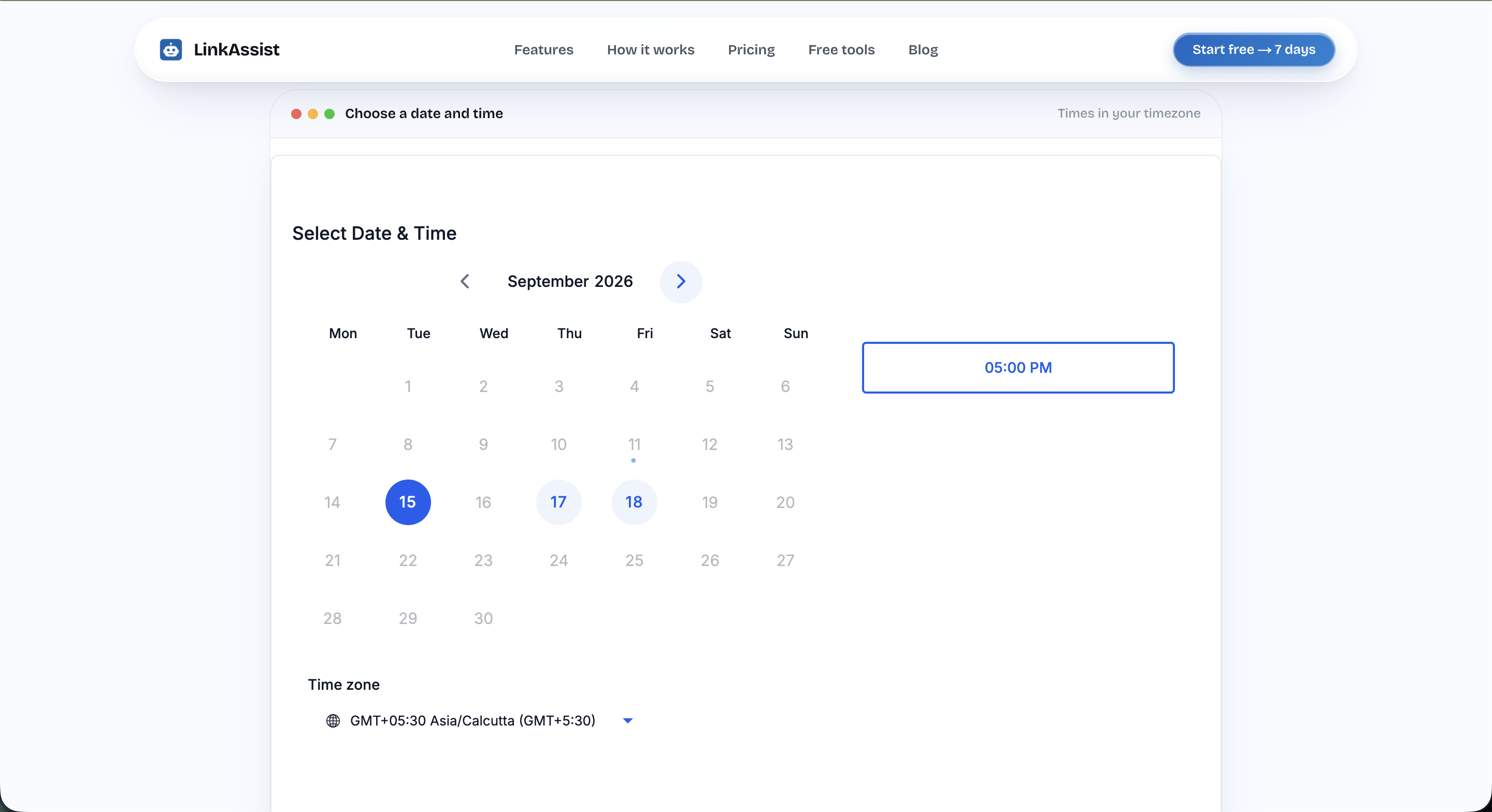
Scheduler Features
- Timezone Synchronization: Automatically detects and adjusts slots to your local time zone (e.g.,
🌐 GMT+05:30 Asia/Calcutta). - Real-Time Availability: Blue badges highlight open days and available appointment slots (e.g.,
05:00 PM). - Instant Calendar Invites: Automatically sends Google Calendar / Outlook invites with direct video meeting links (Google Meet / Zoom).
What We Cover During the Demo
During the 25-minute live consultation, a LinkAssist growth specialist will walk you through:
- System & Profile Calibration:
- Setting up User DNA with your authentic voice, credibility proof points, and contrarian takes.
- AI Creation & Repurposing Engine:
- Live demonstrations of Post Writer Studio turning YouTube videos, blogs, PDFs, and raw thoughts into high-converting posts.
- Strategic Multi-Day Campaigns:
- Structuring thematic content funnels in Campaigns and scheduling automated slots across the All Posts Calendar.
- Enterprise & Agency Workflows:
- Multi-profile management for CXOs and founders, one-tap approval links, and centralized billing.
How to Book Your Session
Select Your Date
Browse the calendar view and click on any available active date.
Pick a Time Slot
Choose a convenient time slot from the right panel that fits your schedule.
Provide Context
Enter your name, work email, LinkedIn profile URL, and your primary goal for the demo.
Confirm & Receive Link
Click confirm. You will receive an instant calendar invite containing the video room link and preparation notes.
Team Walkthroughs: Feel free to forward the calendar invite to your marketing team, co-founders, or content managers to join the live session.
Next Steps
Support
Reach out to the LinkAssist customer support team for technical assistance, billing inquiries, enterprise requests, and troubleshooting.
Log Out
Safely end your active LinkAssist web session, revoke browser authorization tokens, and protect your LinkedIn account across shared or personal devices.