
Upgrade Plan
Compare LinkAssist subscription tiers (Starter, Growth, Enterprise), flexible billing cycles, non-expiring add-on credits, and self-serve Chargebee management.
Upgrade Your Plan allows you to scale your LinkedIn content production, unlock advanced AI strategy workflows, generate custom likeness avatars, and access team-wide profile management.
You can access the upgrade portal from the bottom-left account menu $\rightarrow$ Upgrade or via Settings $\rightarrow$ Subscription.
1. Subscription Tiers (Monthly Billing)
LinkAssist offers three transparent subscription tiers designed for individual creators, scaling professionals, and executive marketing teams.
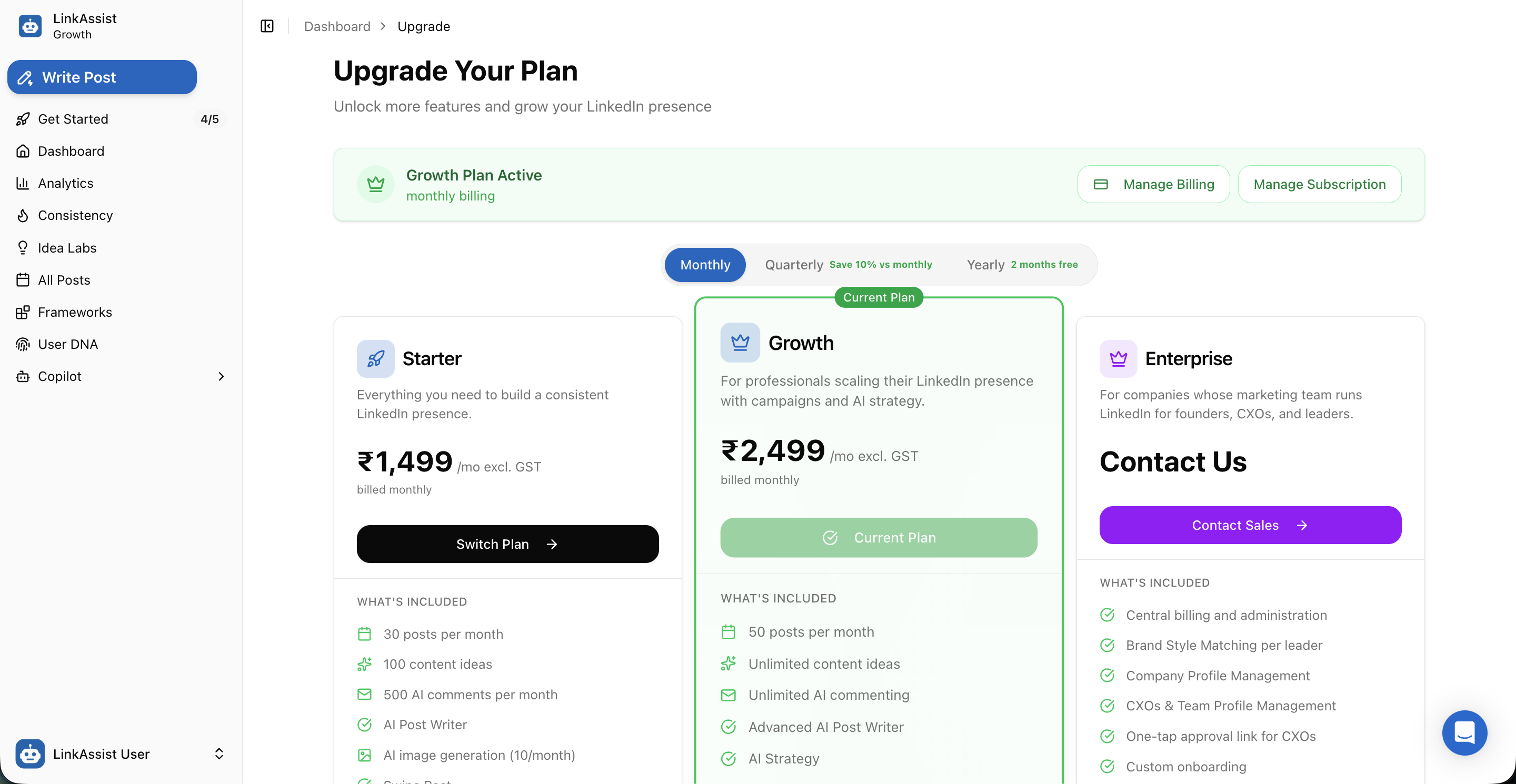
Detailed Plan Comparison
| Feature / Limit | 🚀 Starter Plan | 👑 Growth Plan (Most Popular) | 🏢 Enterprise Plan |
|---|---|---|---|
| Pricing (Monthly) | ₹1,499 / mo (excl. GST) | ₹2,499 / mo (excl. GST) | Custom Pricing |
| Target Audience | Beginners building consistency | Creators & founders scaling authority | Marketing teams managing CXOs |
| Monthly AI Posts | 30 posts / month | 50+ posts / month (+ bonuses) | Unlimited custom volume |
| Content Ideas | 100 topic ideas | Unlimited ideas | Unlimited ideas |
| AI Commenting | 500 AI comments / month | Unlimited AI comments | Unlimited AI comments |
| AI Post Writer | Standard Post Writer | Advanced AI Post Writer | Advanced multi-voice Writer |
| AI Media Generation | 10 images / month | 30 images + 10 Avatars / month | Unlimited custom assets |
| Content Campaigns | 1 active campaign | 5 active campaigns | Unlimited campaigns |
| User DNA & Frameworks | Included | Advanced tone & proof points | Brand Style Matching per leader |
| Analytics & Scheduling | Core scheduling & stats | Advanced scheduling & timing | Advanced multi-profile analytics |
| Support Channel | Email support | Email & WhatsApp Priority | Dedicated Account Manager |
| Team Management | Single user | Single user | CXO One-tap approval links |
2. Flexible Billing Cycles & Annual Savings
Switch between Monthly, Quarterly (Save 10%), and Yearly (2 Months Free) billing cycles to maximize cost efficiency.
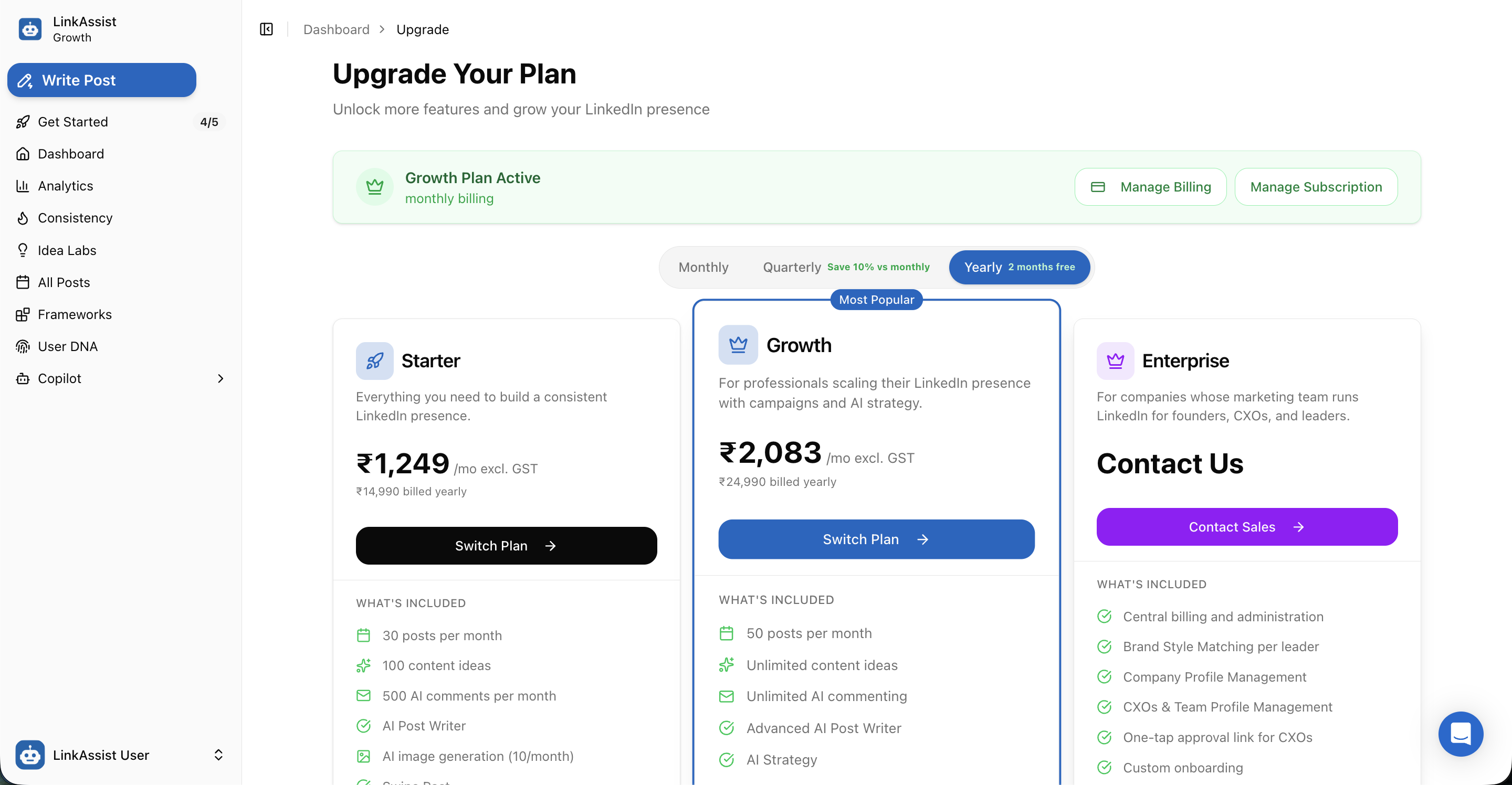
Annual Billing Discount Structure
- Starter (Yearly): ₹1,249 / mo (₹14,990 billed annually) — Save over ₹3,000/year.
- Growth (Yearly): ₹2,083 / mo (₹24,990 billed annually) — Includes 2 full months completely free.
3. Add-ons Store (Non-Expiring Stacking Credits)
Need extra posts, custom avatars, or AI images without upgrading your entire monthly plan? Purchase on-demand add-ons that never expire and stack on top of your plan limits.
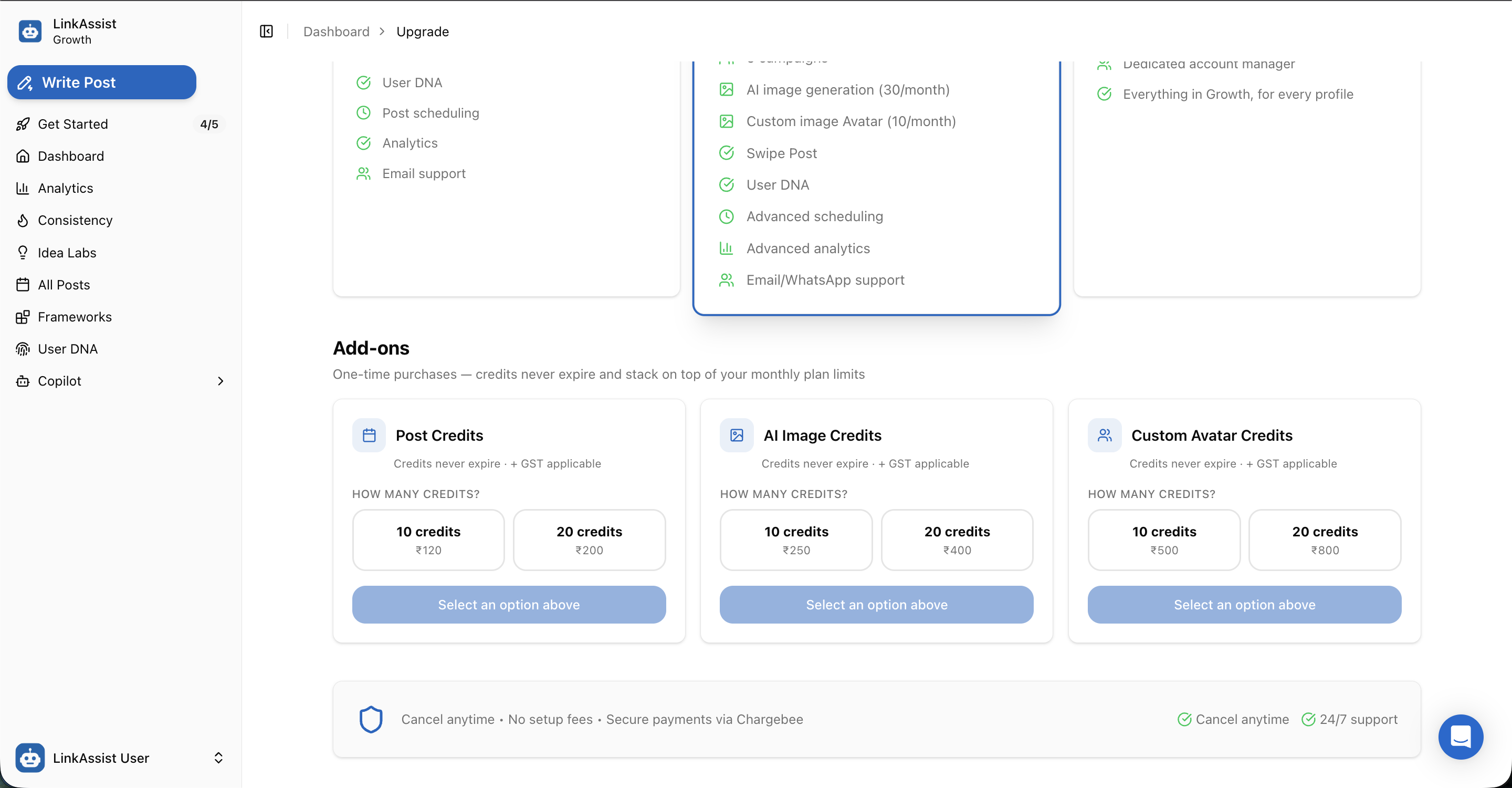
Available Add-on Packs
| Credit Type | 10 Credits Pack | 20 Credits Pack | Validity & Rules |
|---|---|---|---|
| 📝 Post Credits | ₹120 | ₹200 | Never expire. Roll over across billing cycles. |
| 🎨 AI Image Credits | ₹250 | ₹400 | High-resolution generative images. |
| 👤 Custom Avatar Credits | ₹500 | ₹800 | Hyper-personalized likeness renders. |
Security & Guarantee: All transactions are processed through enterprise Chargebee encryption. Cancel anytime with zero setup fees and 24/7 support.
4. Self-Serve Subscription Management (Chargebee Portal)
Click Manage Subscription or Manage Billing from the dashboard to access the self-serve customer portal.
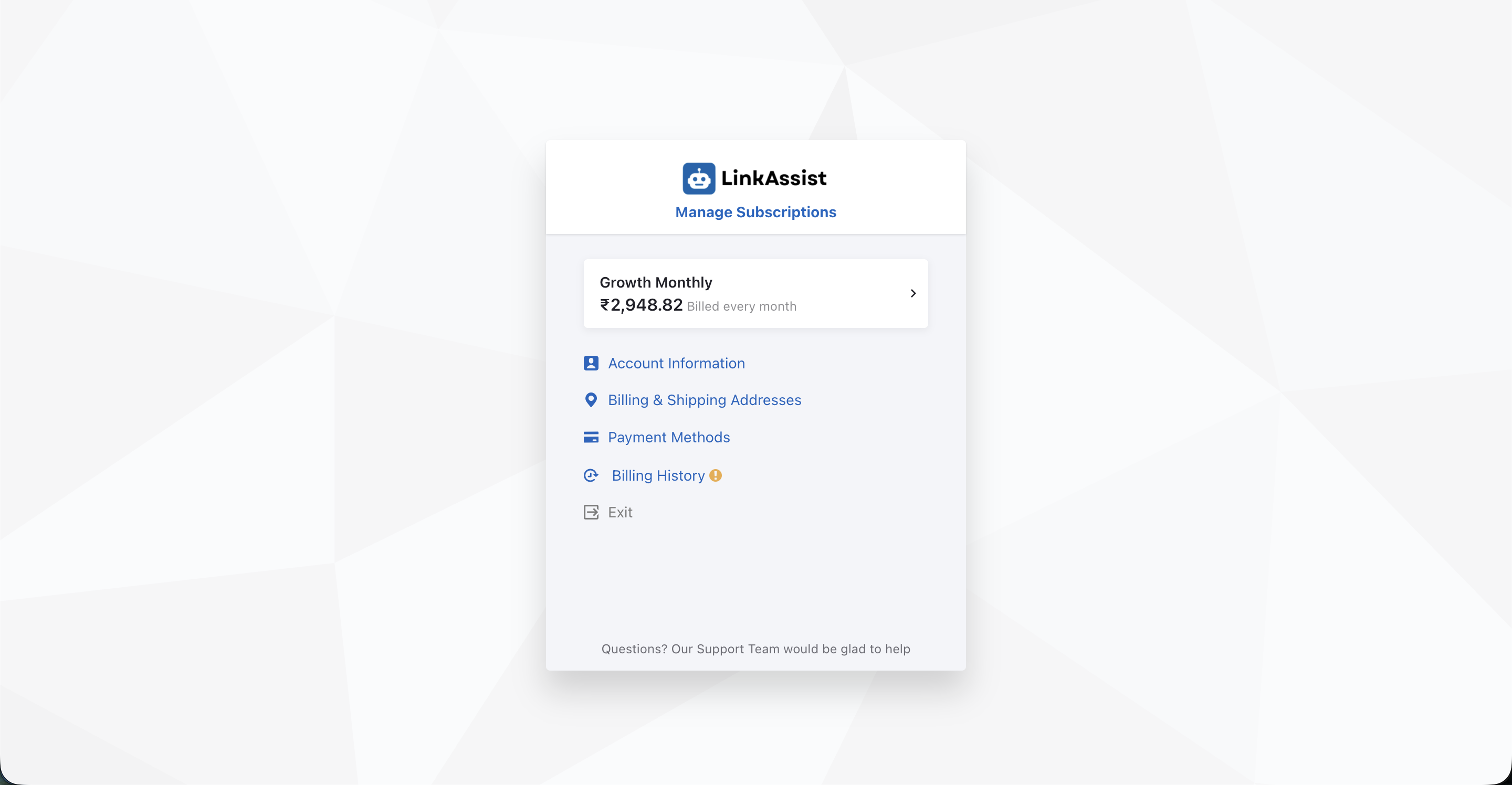
Self-Serve Actions
- Account Information: Update your registered billing name and primary business email.
- Billing & Shipping Addresses: Enter your official company address and GSTIN for tax-compliant invoicing.
- Payment Methods: Add, remove, or switch credit cards, debit cards, UPI, or net banking methods.
- Billing History: Access instant charge summaries and historical payment receipts.
How to Switch or Upgrade Your Plan
Open the Upgrade Dashboard
Navigate to Upgrade in the sidebar menu or click Manage Subscription in Settings.
Select Billing Cadence
Toggle between Monthly, Quarterly, or Yearly (2 Months Free).
Choose Target Plan
Click Switch Plan → on your preferred tier (Starter, Growth, or Enterprise).
Complete Secure Checkout
Review your tax breakdown in the Chargebee checkout portal and confirm payment. Your new limits activate immediately.
Next Steps
Settings
Manage your LinkedIn integration, company pages, subscription plans, invoices, timezone preferences, AI app connections (MCP), and data privacy in LinkAssist.
Support
Reach out to the LinkAssist customer support team for technical assistance, billing inquiries, enterprise requests, and troubleshooting.