
Copilot
Interactive conversational AI partner for LinkedIn strategy planning, trend ideation, and end-to-end post crafting.
LinkAssist Copilot (formerly Strategy) is your dedicated, conversational AI strategist and writing assistant. Powered by your calibrated User DNA, Copilot collaborates with you in real time to build strategic content plans, brainstorm timely trend angles, and craft publication-ready LinkedIn posts.
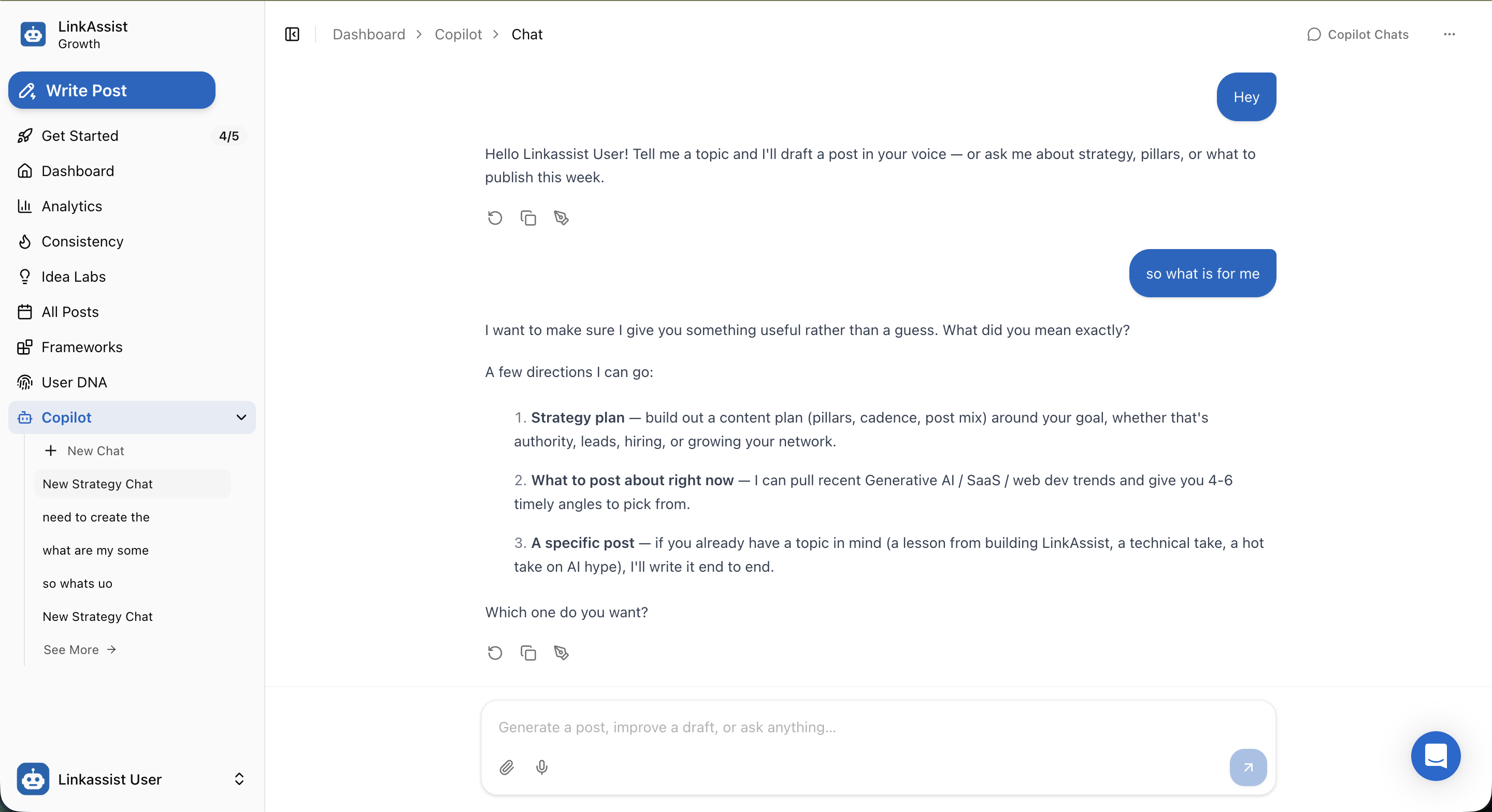
1. Three Core Capabilities
When chatting with Copilot, it intelligently clarifies your goals and guides you down three distinct creative pathways:
🎯 1. Strategy Plan
Build out a comprehensive content plan (content pillars, posting cadence, post mix) aligned with your primary goal — whether that's authority, inbound leads, hiring, or network growth.
⚡ 2. Real-Time Trends
Ask "What to post about right now?" to extract timely industry trends (GenAI, SaaS, Tech, Business) with 4–6 tailored post angles ready to pick from.
✍️ 3. Full Post Drafting
Have a specific idea or lesson in mind? Give Copilot a rough thought or voice memo, and it will draft a complete, hook-optimized LinkedIn post in your authentic voice.
2. Interactive Chat Interface & Controls
Sessions
+ New Chatstarts a fresh thread. The sidebar lists every past chat; rename or delete from its menu, and use the search icon to find a conversation by what was said.- A first Copilot Kickoff conversation asks about your audience and goals and seeds the strategy; later chats remember what was decided.
- Export downloads the whole conversation as a Markdown file.
- The Chrome extension's side panel shows the same sessions, so a chat started on LinkedIn continues here.
Input bar
- 💬 Prompts — strategy questions, trend requests, or a rough idea for a post.
- 📎 Attachments — up to 5 files per message, 10 MB each: images, PDFs, text, Markdown, CSV and JSON. Copilot reads them as source material.
- 🎙️ Dictation — speak into the box; the transcript appears for you to edit before sending.
- 🔊 Live voice — a real-time spoken conversation, like a phone call: you talk, Copilot answers aloud, and you can interrupt it. Every spoken turn is a normal chat turn, so the transcript lands in the chat history and voice can do anything typed Copilot can, including writing and saving a post. (It will not publish from a voice request alone; that still needs a typed confirmation.)
- ⏹ Stop cancels a reply mid-stream.
While Copilot works you see its steps (loading your context, researching the web, finding similar posts, writing, validating), with sources cited when it looked something up.
The post card
When Copilot writes a post it appears as a card with one-click follow-ups:
| Action | What it does |
|---|---|
| Hook variations | Five alternative opening lines to pick from. |
| Change the angle / Change the closing / Shorten | Targeted rewrites that keep the rest intact. |
| Regenerate | A fresh draft of the same brief. |
| Add image | Generate or upload an image for the post. |
| Schedule for later | Pick a time; the post is saved and queued. |
| Use in Editor | Opens the draft in the Post Writer for manual polishing. |
Strategy answers come as Content Pillar and Key Message cards. Anything worth keeping can be saved to the Saved library (sidebar → Saved) and reused later.
Plan requirement
Copilot, live voice and the extension side panel are included on the 7-day trial, Growth, Premium and Enterprise plans. On Free and Starter the page shows a locked preview with an upgrade button.
3. High-Impact Prompt Examples
Strategy & Content Mix:
"Help me design a 4-week content calendar focused on generating inbound leads for my B2B SaaS startup. I want to post 4 times a week."
Trending Topics & Hooks:
"What are the top 3 contrarian angles on AI automation in software engineering right now? Give me 5 scroll-stopping hooks for each."
Post Transformation:
"Here are my messy notes from a client call where we fixed a 50% drop in conversion rate. Turn this into a story-driven LinkedIn post with a strong takeaway."
Trained on Your User DNA
Copilot automatically incorporates your preferences, niche guidelines, and tone rules configured in User Onboarding, so you never have to repeat your background in every prompt.
Next Steps
Turn Copilot's strategic ideas into scheduled posts:
Post Writer
Take Copilot drafts and polish them with viral frameworks and character limits.
Idea Labs
Expand Copilot topic suggestions into dozens of hook-ready variations.
Consistency Tracker
Ensure your new content strategy aligns with your weekly publishing quota.
Analytics
Monitor how your strategy and topic mix perform in terms of impressions and engagement.
User DNA
Teach LinkAssist AI your personal story, voice cadence, contrarian takes, credibility proof, and strict boundaries to generate authentic LinkedIn posts.
Use LinkAssist in ChatGPT, Claude & Cursor (MCP)
Connect LinkAssist to your AI app over MCP so it can write, schedule and publish LinkedIn posts in your voice.