
User DNA
Teach LinkAssist AI your personal story, voice cadence, contrarian takes, credibility proof, and strict boundaries to generate authentic LinkedIn posts.
User DNA is the personalization brain of LinkAssist. While standard AI models produce generic, cliché-ridden LinkedIn content, User DNA anchors every generated post, hook, and strategy in your authentic lived experience, industry credentials, unique tone, and strict boundaries.
Just four quick sections are enough to make your AI write like you—never like a bot.
AI Readiness Score
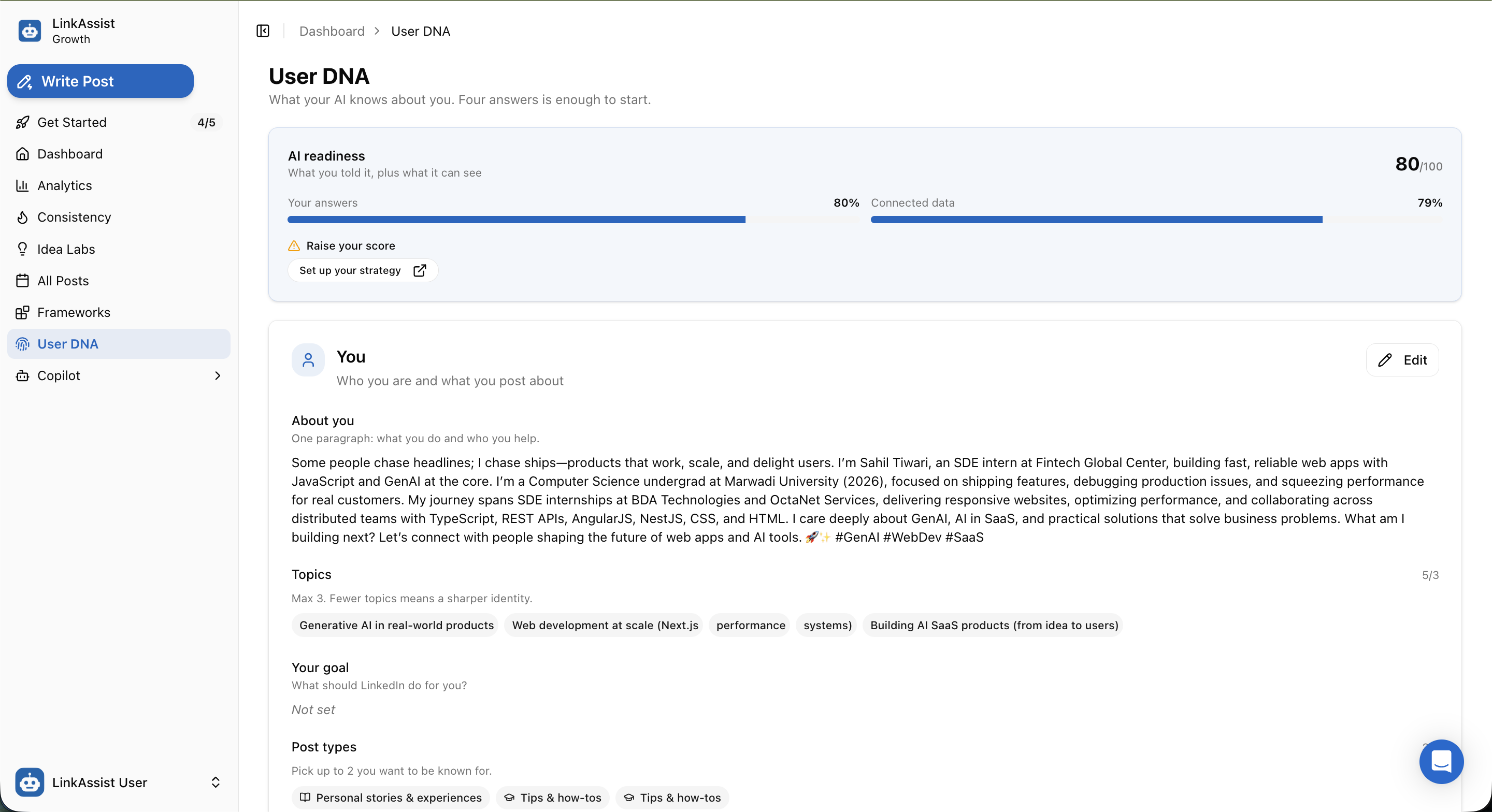
At the top of User DNA, LinkAssist tracks your AI Readiness Score to evaluate how effectively the AI understands your personal brand.
Score Breakdown
| Metric | Progress | Purpose |
|---|---|---|
| Overall Score | 80/100 | Composite readiness benchmark combining direct answers and synced LinkedIn activity. |
| Your Answers | 80% | Measures completeness of your profile bio, topics, voice cadence, takes, and proof points. |
| Connected Data | 79% | Measures historical post data, engagement patterns, and connected LinkedIn profile insights. |
Raise Your Score: Click Set up your strategy ↗ to refine your content pillars and elevate your AI Readiness to 90%+, unlocking hyper-accurate hook generation.
1. You: Identity & Content Pillars
This section establishes your core identity and sets your content focus.
Fields to Configure
- About You: A concise 1-paragraph summary explaining what you do, who you help, your technical/domain expertise, and what you are actively building.
- Topics (Max 3): Narrow down your primary content pillars (e.g., Generative AI in real-world products, Web development at scale, Building AI SaaS). Fewer topics mean a sharper, more recognizable authority.
- Your Goal: The primary business outcome you want LinkedIn to drive (e.g., Inbound client leads, hiring top engineers, investor relations, personal brand authority).
- Post Types (Pick up to 2): The format you want to be known for (e.g.,
📖 Personal stories & experiences,🎓 Tips & how-tos,🔍 Teardowns & case studies).
2. Your Voice & Credibility Assets
The second layer defines how your posts sound and equips the AI with verifiable proof points to eliminate generic fluff.
A. Your Voice (Tone & Style)
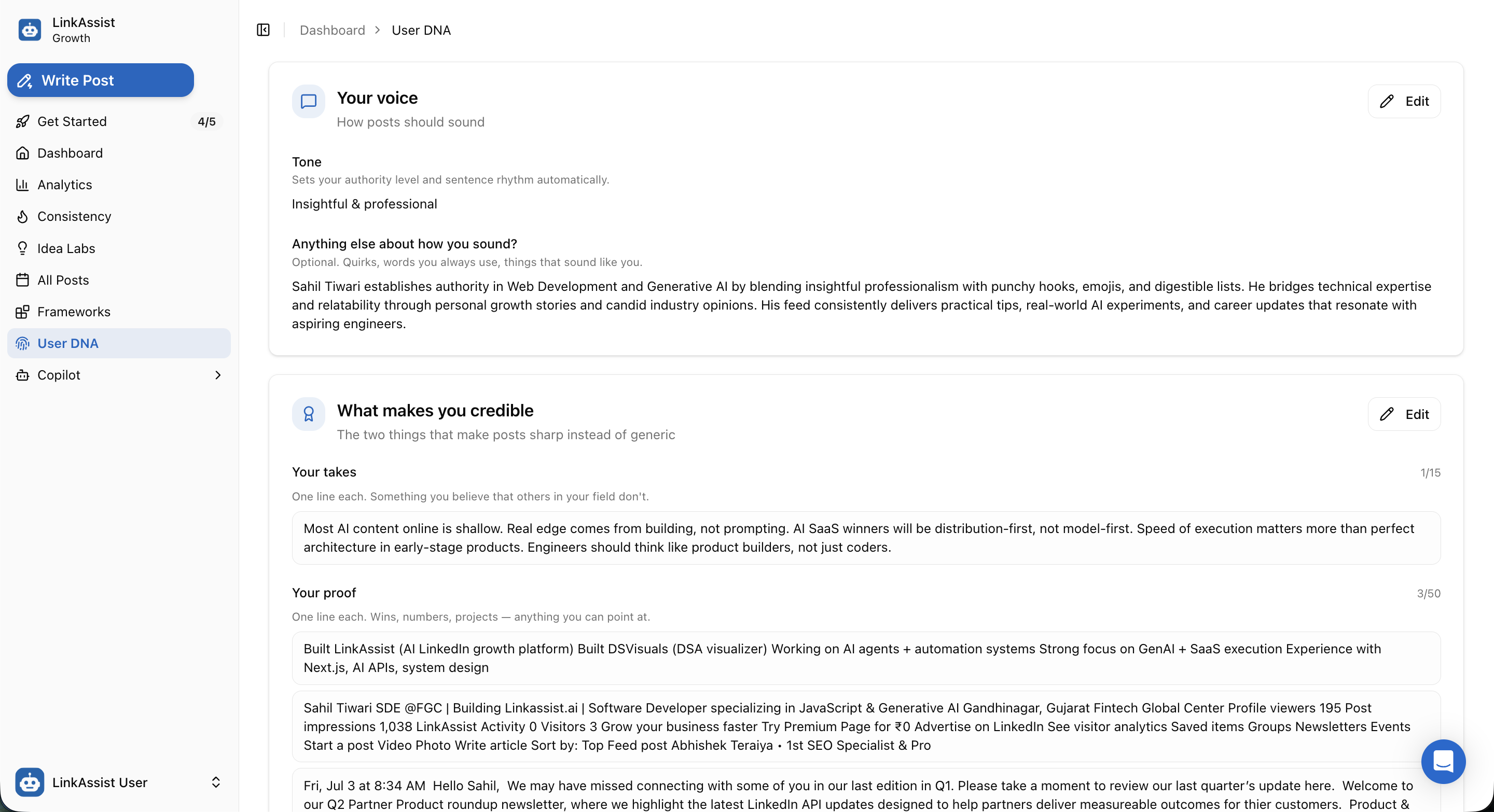
- Tone: Automatically sets authority level and sentence rhythm (e.g., Insightful & professional, Bold & contrarian, Casual & conversational).
- Voice Nuances & Quirks: Detail your specific speaking habits, sentence pacing, emoji usage, favorite hooks, and formatting style (e.g., punchy hooks, digestible lists, candid industry opinions, and real-world experiments).
B. What Makes You Credible
Generic posts make claims; authoritative posts provide takes and proof.
| Credibility Pillar | Description & Examples |
|---|---|
| Your Takes (Contrarian Beliefs) | One-line opinions you strongly believe that others in your industry often debate. Example: "Most AI content online is shallow. Real edge comes from building, not prompting. AI SaaS winners will be distribution-first, not model-first." |
| Your Proof (Wins & Evidence) | Specific achievements, metrics, shipped products, or client milestones that back up your expertise. Example: "Built and sold a B2B analytics product, grew it to 4,000 paying customers, 1M+ impressions on LinkedIn last year." |
3. Hard Boundaries & Visual Assets
Guardrails ensure the AI never misrepresents your brand, while reference photos power personalized AI media creation.
A. Never Do This (Hard Limits)
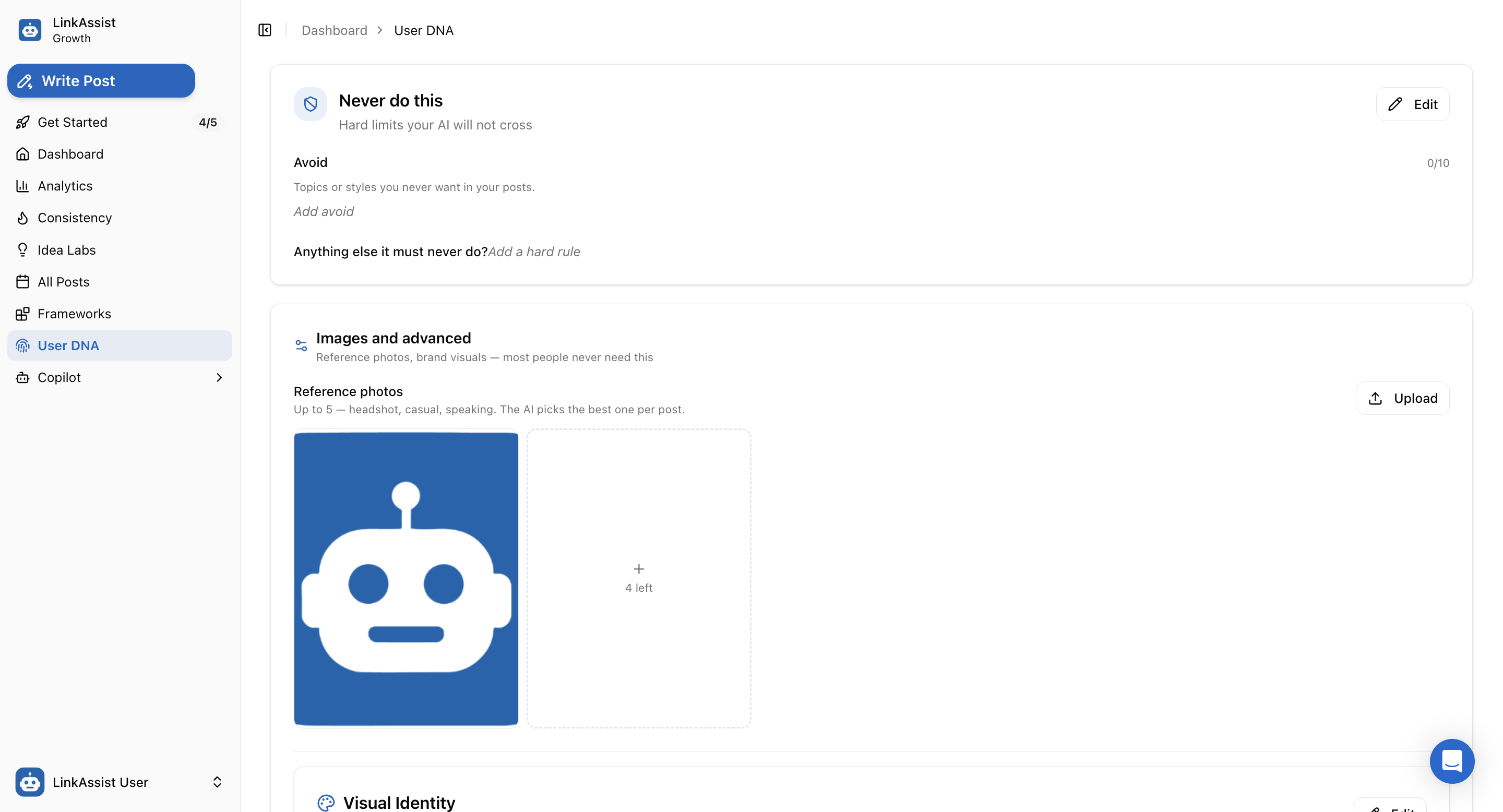
- Avoid Topics & Cliches: List buzzwords, corporate jargon, or overused tropes you never want in your posts (e.g., "thrilled to announce", "game-changer", "delve").
- Hard Rules: Absolute constraints the AI model must never violate (e.g., never criticize specific competitors by name, never use more than 2 emojis per post).
B. Images & Visual Identity
- Reference Photos (Up to 5): Upload professional headshots, casual work photos, or speaking snapshots. The AI leverages these to generate custom Media Studio avatars that match your real likeness.
- Visual Identity: Customize brand palettes, accent colors, and custom layout preferences.
4. What LinkAssist learned on its own
Below the fields you fill in, the page shows two sections LinkAssist writes for you:
- What we observed from LinkedIn — headline, about, follower count and the post patterns pulled in by the extension sync. This is the "connected data" half of your readiness score.
- What the AI has learned — preferences and facts Copilot picked up from your chats, plus patterns in what has worked for you (frameworks and hook styles that get the most reach, once you have enough published posts).
If something there is wrong, use Disagree with something the AI learned? to correct it. The correction is stored as a preference, overrides the learned version everywhere, and can be reviewed or removed later under Settings → Memory.
The compiled prompt at the bottom shows exactly what LinkAssist takes from your DNA when it writes for you, so there is no mystery about what the AI knows.
How User DNA Powers the Entire Platform
flowchart TD
    DNA["🧬 User DNA (Bio, Voice, Takes, Proof, Limits)"]

    DNA --> PW["✍️ Post Writer Studio\n(Injects personal tone & proof points)"]
    DNA --> IL["💡 Idea Labs\n(Suggests relevant niche topics & news)"]
    DNA --> CP["🤖 Copilot AI Strategist\n(Gives hyper-personalized growth advice)"]
    DNA --> FW["📐 Frameworks\n(Fills blueprints with your lived experience)"]